
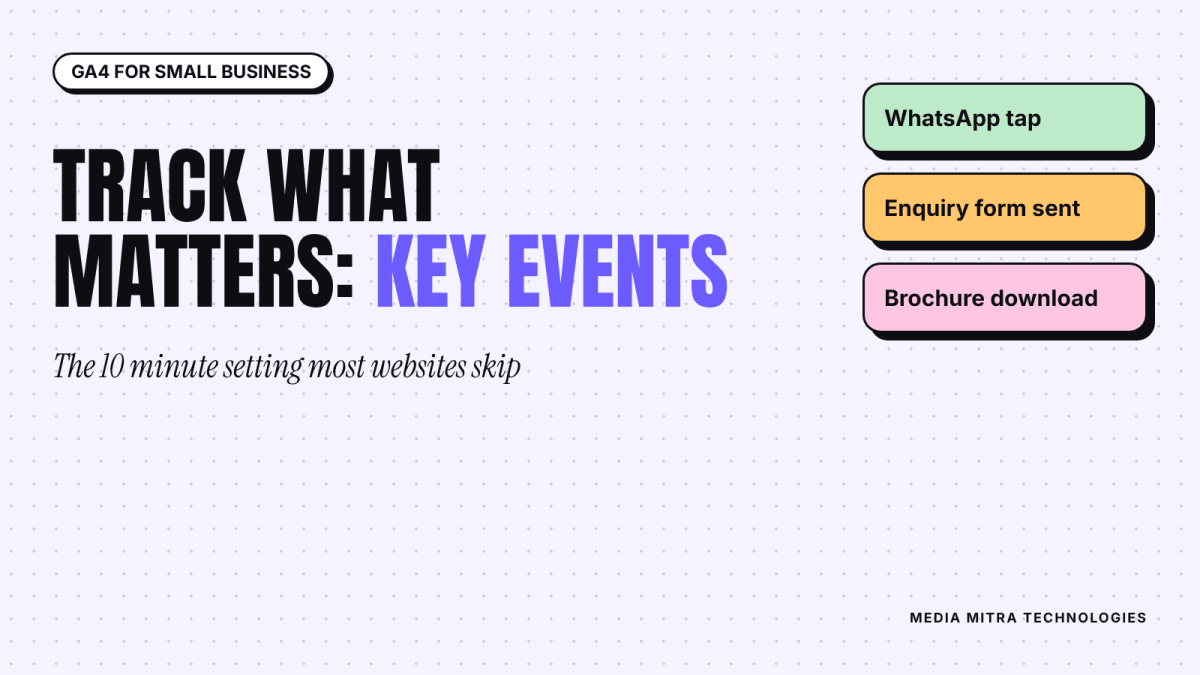
Most small business owners who install Google Analytics open it once, see a wall of charts, and never return. That is a shame, because the one setting that turns Analytics from a vanity counter into a useful tool takes about ten minutes: telling it which visitor actions actually matter to your business.
In Google Analytics 4 (GA4), those actions are called key events. This guide explains what they are, which ones a small business in Nepal should track, and how to set them up without a developer. If you have already connected your site to Google Search Console, this is the natural next step: Search Console shows how people find you, and Analytics shows what they do once they arrive.
What a key event is, and why page views are not enough
Google defines a key event as an event that measures an action that is particularly important to the success of your business. Any event GA4 collects can be marked as a key event. Once it is marked, it shows up in reports such as Landing Pages and User Acquisition, so you can see which pages and which traffic sources lead to the actions you care about.
Google's own help page also notes a caveat worth remembering: Google Ads conversions do not appear in the standard Analytics reports. They are visible in Google Ads, or in the Advertising section of Analytics when they are created from key events. If you plan to run ads later, such as the first Search campaign we have written about, setting up key events now saves you rework.
Here is why this matters in practice. Picture a furniture shop in Birgunj with a website. Last month 900 people visited. Is that good? Nobody can say. But if 40 of them tapped the WhatsApp button and 12 submitted the enquiry form, you now have numbers you can compare month to month, by traffic source, and by page.
Step 1: Set up GA4 and the Google tag
If Analytics is not installed yet, the basic path from Google's setup documentation is:
- Go to analytics.google.com and click Start measuring. Create an account, then a property. You will choose a reporting time zone and currency, so pick Nepal time and the currency you actually report in.
- In Admin, open Data collection and modification, then Data streams, then Add stream and choose Web. Enter your website address and a stream name.
- Leave enhanced measurement switched on, then click Create stream.
- Open the stream and copy the Measurement ID, which starts with G-.
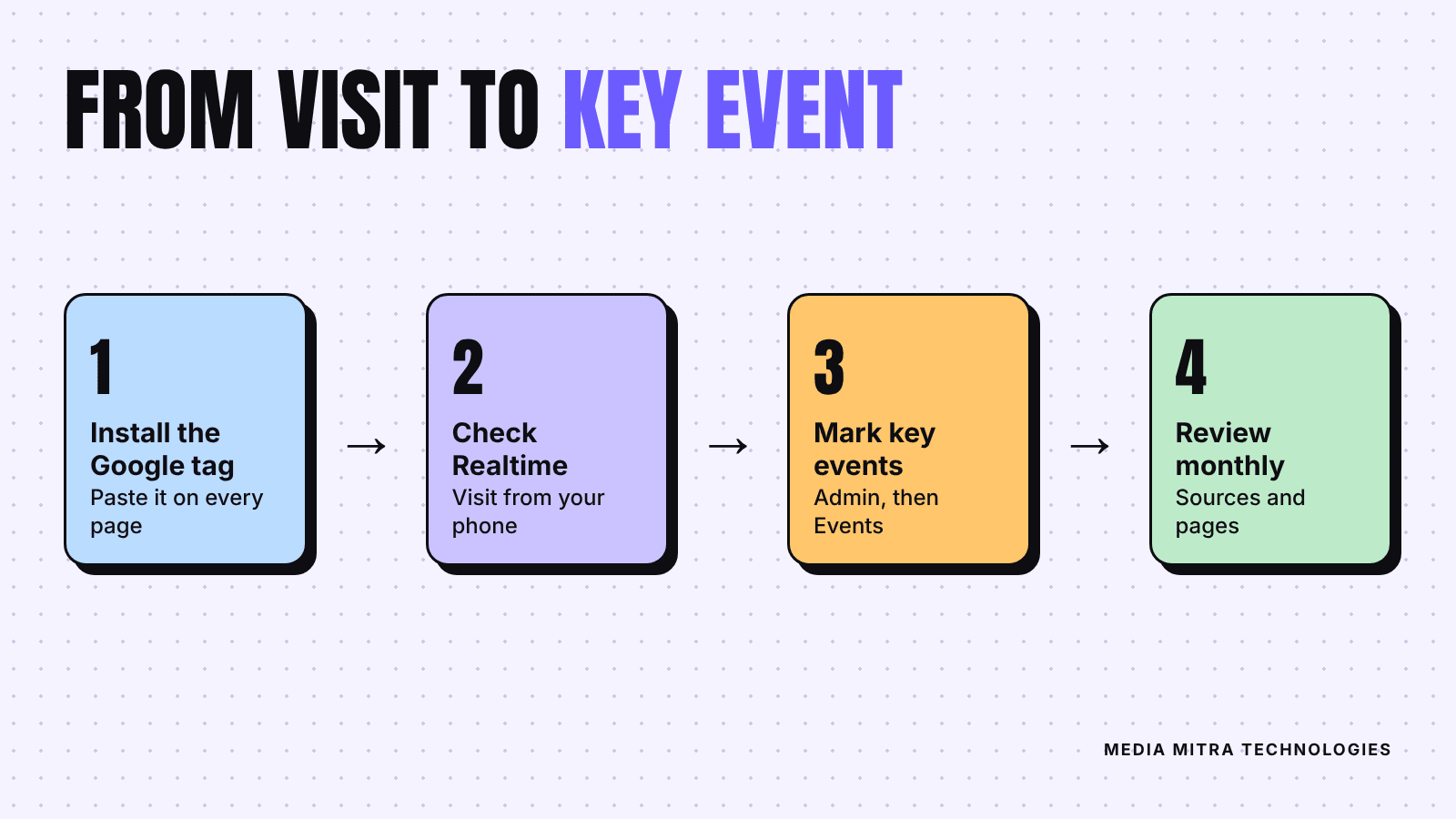
- Install the Google tag. Google's instructions say to paste it right after the opening head tag on every page. If your site runs on a CMS or a website builder, look for a field for the Measurement ID or for Google tag instead of editing code. Google Tag Manager is another route.
Google notes that data collection can take up to 30 minutes to begin. Open the Realtime report, visit your own site from your phone, and confirm you appear. If you hired someone to build your site, the website brief is a good place to ask for Analytics to be installed as part of the job.
Step 2: Know what GA4 already tracks for you
With enhanced measurement on, GA4 collects several interactions without extra code, according to Google's documentation:
- Page views: each time a page loads or the browser history state changes.
- Scrolls: the first time someone reaches the bottom of a page, defined as 90% vertical depth.
- Outbound clicks: each time someone clicks a link that leads away from your domain.
- Site search: when a visitor searches your site and the URL carries a query parameter.
- Video engagement: video start, progress and complete events for embedded videos.
- File downloads: clicks on links to common file types such as PDF, Word and Excel files.
This is useful because several of your most valuable actions may already be recorded. A visitor who taps a link to WhatsApp leaves your domain, so that tap can show up as an outbound click. A visitor who downloads your price list PDF triggers a file download. You do not need to build these from scratch. You only need to decide which of them deserve the key event label.
Step 3: Choose the two to five actions that matter
Resist the urge to mark everything. Google lets a standard property mark up to 30 events as key events, but a list of 30 is as useless as no list. Ask one question: if a visitor did this, would I be pleased on the phone with my accountant?
For most small businesses, the shortlist looks like this:
| Business type | Actions worth marking as key events |
|---|---|
| Shop with a catalogue | WhatsApp or Messenger tap, price list download, map or directions click |
| Service business | Enquiry form submitted, phone number tap, WhatsApp tap |
| Restaurant or cafe | Directions click, phone tap, menu PDF download |
| Training institute | Admission form submitted, brochure download, WhatsApp tap |
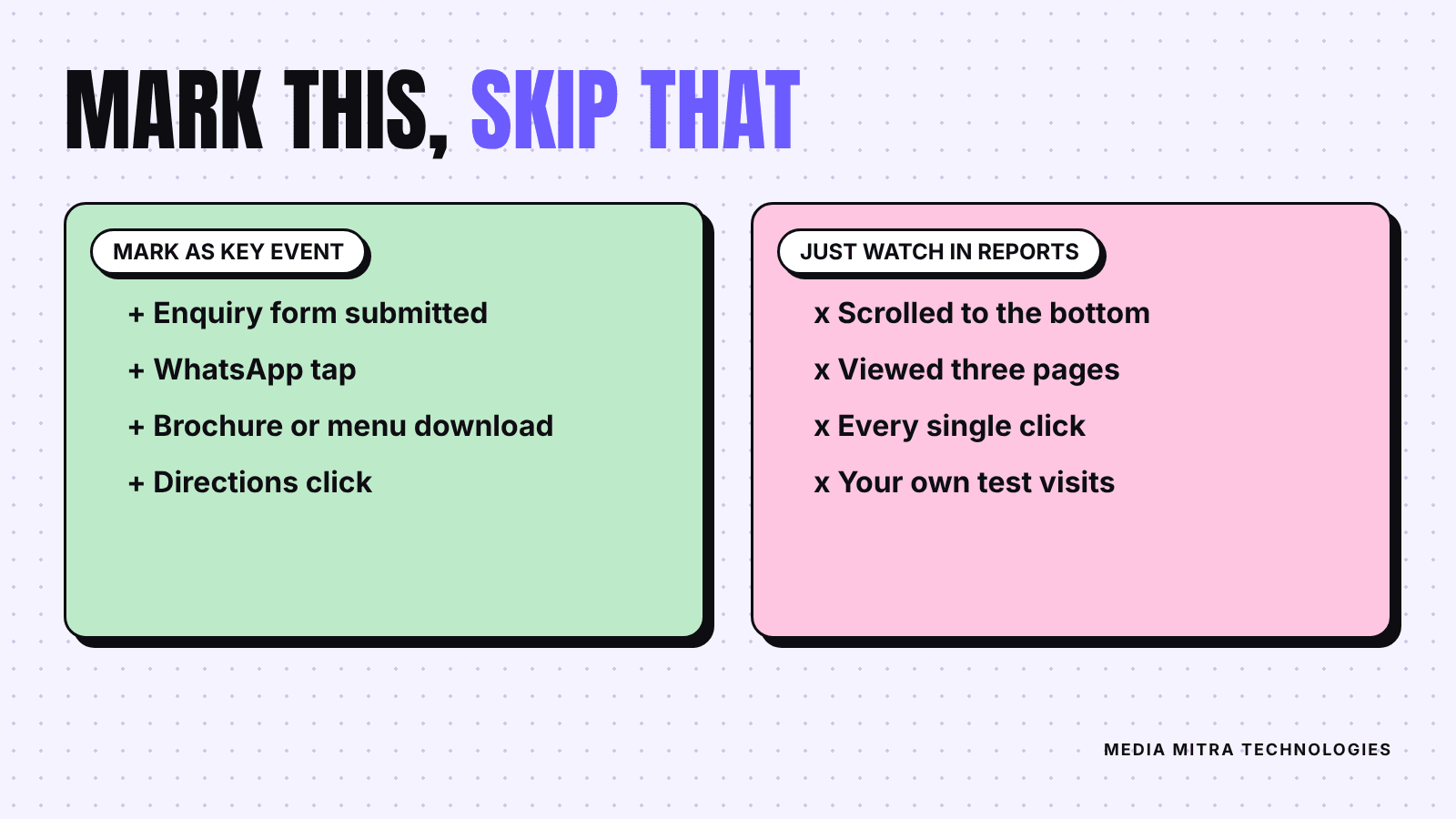
Notice that "scrolled to the bottom" and "viewed three pages" are missing. They describe interest, not intent. You can look at them in reports without promoting them to key events.
If WhatsApp is how your customers reach you, make sure the number is set up properly first. Our WhatsApp Business setup guide covers the basics, and a clean chat link is easier to track than a number buried in text.
Step 4: Mark an event as a key event
There are two situations.
The event already appears in GA4
If you have visited your site and clicked the button yourself, the event may already be in your list. Open Admin, then Events, find the event name, and use the key event toggle next to it. Events that have not been collected yet will not be listed, so trigger them once on the live site and wait for them to appear.
The event does not exist yet
You can create one in Admin, then Events, then Create event. Enter an event name, and Google warns that special characters cannot be used in the name of a new event. You can toggle the key event option on at creation time. You need Marketer access or above at the property level to do this.
For a thank-you page, there is a simple and beginner friendly pattern: after a form is submitted, send the visitor to a page such as /thank-you. Then you can create an event that fires when that page is viewed, and mark it as a key event. Ask your developer or web agency to confirm that the thank-you page exists and is only reachable after a real submission.
Two timing details from Google's documentation are worth knowing. Marking an event as a key event applies from that moment forward and does not change past data. And it can take up to 24 hours for new key events to appear in standard reports, although the Realtime report updates within minutes.
Step 5: Test it before you trust it
A key event that never fires, or fires on the wrong action, is worse than none, because you will make decisions from it.
- Open your website on your phone, using mobile data rather than office Wi-Fi if you can.
- Keep the Realtime report open on your laptop.
- Tap the WhatsApp button, submit a test form, and download the PDF.
- Watch the event list in Realtime. Each action should appear within a short time.
- If something is missing, check the event name for typos and check that the tag is on that page.
Do your own test submissions only a few times, and write down the date. Test data can inflate the first week's numbers, and your future self will want to know why.
Step 6: Read the results once a month
Do not check Analytics daily. A small site does not have enough traffic for day to day numbers to mean much. Once a month, look at three things:
- Which traffic sources produce key events. If Facebook sends 300 visitors and zero enquiries while Google search sends 80 visitors and 9 enquiries, that is a reason to rethink where effort goes.
- Which landing pages produce key events. A page that attracts many visitors but no enquiries needs a clearer next step, a better offer, or faster loading. Our guide to why Nepali business websites fail to get customers lists the usual causes.
- The rate, not only the count. Ten enquiries from 200 visitors is a better result than twenty from 4,000.
Write the numbers in a simple sheet each month. After three months you will have a trend, and trends are what make marketing decisions defensible.
Common mistakes to avoid
- Counting your own visits. If you and your staff open the site daily, your activity inflates the numbers. Ask whoever manages your Analytics about filtering internal traffic.
- Marking too many key events. Keep the list short and meaningful.
- Forgetting the tag after a redesign. A new site theme or a rebuilt page can silently remove the tag. Check Realtime after every major change.
- Changing event names midway. Renaming breaks the trend line. Decide once.
- Expecting instant data. Allow a full day before judging a new setup.
Frequently Asked Questions
Is GA4 free for a small business?
Standard Google Analytics is free to use. Paid options exist for large enterprises, but a small business site rarely needs them.
Do I need Google Tag Manager?
Not to start. Pasting the Google tag or entering the Measurement ID in your CMS is enough for page views and the enhanced measurement events. Tag Manager helps once you need more custom tracking.
Why do I see no data after installing the tag?
Google says collection can take up to 30 minutes to begin. If Realtime stays empty after that, check that the tag is on the pages you visited and that the Measurement ID has no typo.
Can I track phone number taps?
Often yes, but it usually needs a custom setup through your website developer or Tag Manager, because it is not on the standard enhanced measurement list. Ask for it when you brief your developer.
What is the difference between a key event and a conversion?
Google Analytics now uses the name key event for important actions inside Analytics. The word conversion is used for Google Ads conversions, which are visible in Google Ads or in the Advertising section of Analytics when created from key events.
Conclusion
Analytics is only as useful as the questions you give it. Pick the few actions that mean a real customer is reaching out, mark them as key events, test them on your own phone, and review them once a month. That alone puts you ahead of most small business websites.
If you would rather have this set up properly, with the tag installed, key events tested and a simple monthly report you can actually read, the team at Media Mitra can help. Get in touch with us and we will take a look at your site.