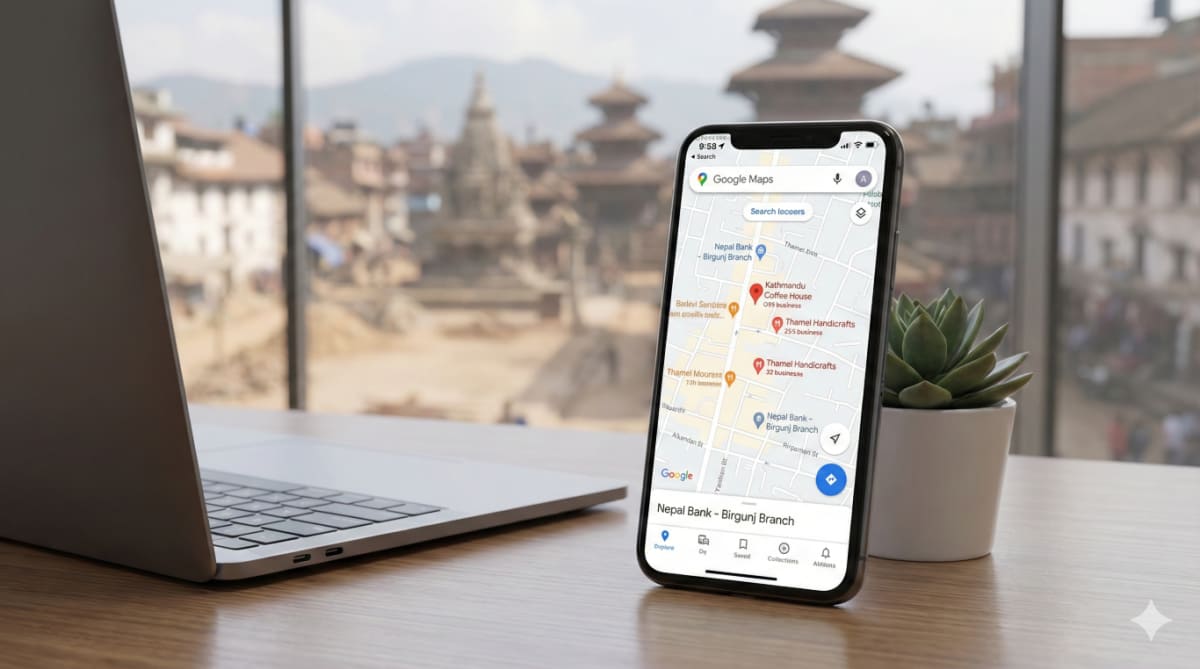

Ask a shopkeeper in Birgunj how a stranger chooses a restaurant, a clinic or a tailor, and the answer is usually "they ask someone they know." Online, the next best thing is a stranger's review. When someone searches your business type on Google Maps, the star rating and the number of reviews sit right next to your name, before they ever see your photos or your menu.
Most small businesses know this and still have fewer than ten reviews. The reason is rarely that customers are unhappy. It is that nobody asked in a simple, repeatable way. This guide covers how to ask, what Google does not allow, and how to answer the reviews you get, including the bad ones.
Why Google reviews matter for a small business
Reviews do two jobs at once. They help a new customer decide whether to trust you, and they give Google more information about your business. If you have not set up your profile yet, start with our guide to Google Business Profile for Birgunj shops, because reviews live on that profile.
I will not quote a magic number of reviews that "guarantees" ranking. Nobody outside Google knows the exact weight, and anyone who promises one is guessing. What you can say safely is this: a profile with recent, detailed, honest reviews looks alive, and a profile with two reviews from 2022 looks abandoned. Our article on local SEO in Nepal explains where reviews fit alongside the other signals.
Know the rules before you ask
Before you design any "review campaign," read Google's own rules. A single careless offer can get reviews removed, and the rules are simple.
According to Google's Business Profile help, offering incentives such as free or discounted goods or services in exchange for posting a review, changing a review, or removing a negative review is treated as fake and misleading content and is strictly prohibited. Google's Maps contributed content policy says the same thing: no payment, discounts or free goods in return for a review or for removing a negative one.
What you may do, per the same policy, is encourage customers to post content that reflects a genuine experience, as long as you offer no incentive.
Do this, not that
| Do | Do not |
|---|---|
| Ask every customer, happy or not | Only ask people you think will give five stars |
| Give a direct review link or QR code | Offer a discount, gift or free item for a review |
| Let customers write in their own words | Write the review text for them or dictate what to include |
| Ask staff or family to be customers, not reviewers | Post reviews from your own team or relatives, or from several accounts |
| Reply to reviews yourself | Pay someone to "manage" reviews by posting fake ones |
Google's policy also lists conflict of interest as a violation, covering content from people with a current or former employment or other close relationship to the business. So reviews from your staff do not help you. They put the real ones at risk.

Step 1: Get your review link and QR code
You do not need to tell customers "search for us, find the reviews tab, press write a review." Every extra step loses people. According to Google's help page on review requests, you can create a link or QR code from your profile:
- Go to business.google.com and open your Business Profile.
- Select "Read reviews," then "Get more reviews."
- Copy the link, or right-click the QR code and choose "Save image as" to download it.
Google suggests sharing it on receipts, in thank-you emails, in chat conversations and on in-store displays. Test it yourself on your own phone before printing anything. If it opens the review form for your shop, you are done.
Step 2: Ask at the right moment, in the right place
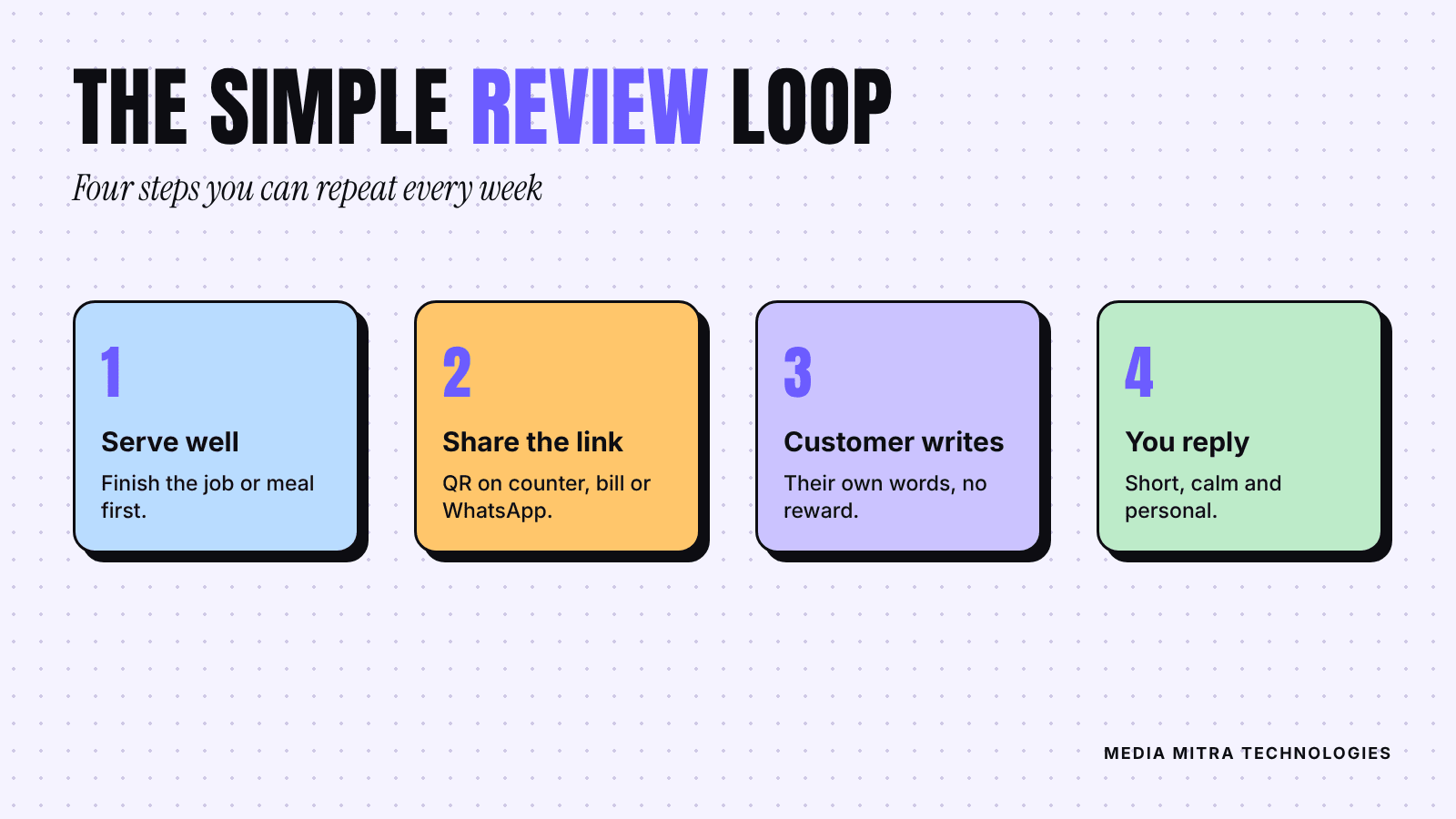
The best time to ask is right after the customer has seen the result: the meal finished, the order delivered, the repair working, the haircut approved. Waiting a week makes the experience fade.
Here are four low-effort places to ask, which you can use with almost any local business:
- At the counter: a small stand with the QR code and one line, such as "Enjoyed your visit? A quick Google review helps us a lot."
- On the bill or delivery slip: print the short link and the same one-line request.
- In WhatsApp: after an order is complete, send one polite message with the link. If you run your business chats on WhatsApp, our WhatsApp Business setup guide shows how to save quick replies so this takes one tap.
- In person: a staff member says it out loud once, naturally, to customers who clearly had a good time.
What to say
Keep it short and specific. Compare these two requests:
- Weak: "Please give us 5 stars."
- Better: "If you liked the service today, would you tell others about it on Google? It takes about a minute, and the link is here."
The first sounds like pressure, and Google's policy specifically frowns on pushing people toward particular content. The second invites a genuine opinion. Genuine reviews also tend to mention details like the dish, the staff member or the neighbourhood, which is useful to the next reader.
Step 3: Reply to every review
Replying is free, it is fully in your control, and it is visible to everyone considering your business. Google's guidance for replies is practical:
- Keep replies concise. Long replies lose readers.
- Personalize them. Avoid the same generic line under every review.
- Be professional and avoid promotional language.
- Protect the reviewer's privacy. Do not reveal order details or personal information.
Replying to a good review
Thank them, mention one real detail, and stop. For example: "Thank you, Sita. Glad the cake arrived on time for the birthday. See you next time." Two lines are enough.
Replying to a bad review
This is where owners lose the most. A hypothetical example: picture a clothing shop that gets a one-star review saying the delivery took ten days. The defensive reply argues about courier delays. The better reply acknowledges the problem, says what the shop will do, and offers an offline way to fix it.
Google's own advice for negative feedback is to acknowledge any mistakes that were made, but not to take responsibility for things outside your control, and to respond promptly. A calm reply is written as much for the next ten readers as for the unhappy customer.
A simple template:
"Thank you for telling us, and we are sorry the delivery was late. We would like to look into your order. Please message us on WhatsApp with your order name and we will update you today."
Never offer money or gifts in exchange for the reviewer changing or deleting the review. Under the rules above, that itself is a violation.
What about fake or unfair reviews?
If a review breaks Google's content policies, for example it is clearly not about a real experience or is posted by someone with a conflict of interest, you can flag it for review. Flagging does not guarantee removal, so write a good public reply either way. A disliked but genuine review stays up, and that is normal.
A simple weekly routine
You do not need software. Fifteen minutes a week is enough:
- Check your profile for new reviews and reply to each one.
- Count how many customers you asked this week. The goal is a steady habit, not a one-day push.
- Note any complaint that appears twice. Two similar reviews are a business problem, not a review problem.
- Refill the QR stands and receipts if they are running low.
Consistency beats volume. A profile that gets two or three new, detailed reviews a month looks healthier than one that got fifty in a single week and then went silent.
Frequently Asked Questions
Can I give a discount to customers who leave a review?
No. Google's policy says offering incentives such as discounts, free goods or payment in exchange for a review is prohibited. You can thank customers publicly in a reply, but the thanks cannot be a reward promised beforehand.
Should I only ask happy customers?
Ask everyone you serve. Selecting only people you expect to be positive misrepresents your real service, and customers can usually tell when a profile has only perfect reviews. A mix of mostly good reviews with a few honest critical ones looks more believable.
Where do I find my review link?
In your Business Profile at business.google.com, choose "Read reviews," then "Get more reviews." You can copy the link or download the QR code from there.
How fast should I reply?
As soon as you reasonably can. Google's guidance for negative feedback specifically recommends responding promptly. A same-day or next-day reply tells customers someone is paying attention.
Do reviews directly improve my Google ranking?
Reviews are part of how a business appears in local results, but nobody outside Google can tell you the exact effect. Treat them as a trust signal for customers first and a possible ranking benefit second.
Conclusion
Getting more Google reviews is not a trick. It is a small system: a working link, a polite ask at the right moment, an honest reply to each review, and a weekly check. Stay inside Google's rules, and the reviews you collect will keep helping you for years.
If you would like help setting up your Business Profile, review QR materials or the replies workflow, get in touch with Media Mitra and we will help you build it.