

Most small business owners judge their website by how it looks on their own laptop, on their own Wi-Fi. Customers do not. They open it on a mid-range phone, on mobile data, often while standing in a shop or sitting in a bus. If the page stays blank for four seconds, jumps around while they try to tap a button, or ignores their tap for a moment, they leave. You never see them go.
Google gives this problem a name: Core Web Vitals. They are three measurements of real visitor experience, and Google recommends that site owners meet them. This guide explains what they mean in plain language, how to check your own site for free in about ten minutes, and what to fix first if you fail.
You do not need to be a developer to follow it. You do need to be willing to ask your web developer specific questions, and by the end you will know which ones.
What Core Web Vitals actually measure
Core Web Vitals are three metrics, described on Google's own web.dev vitals page. Each one captures a different kind of frustration.
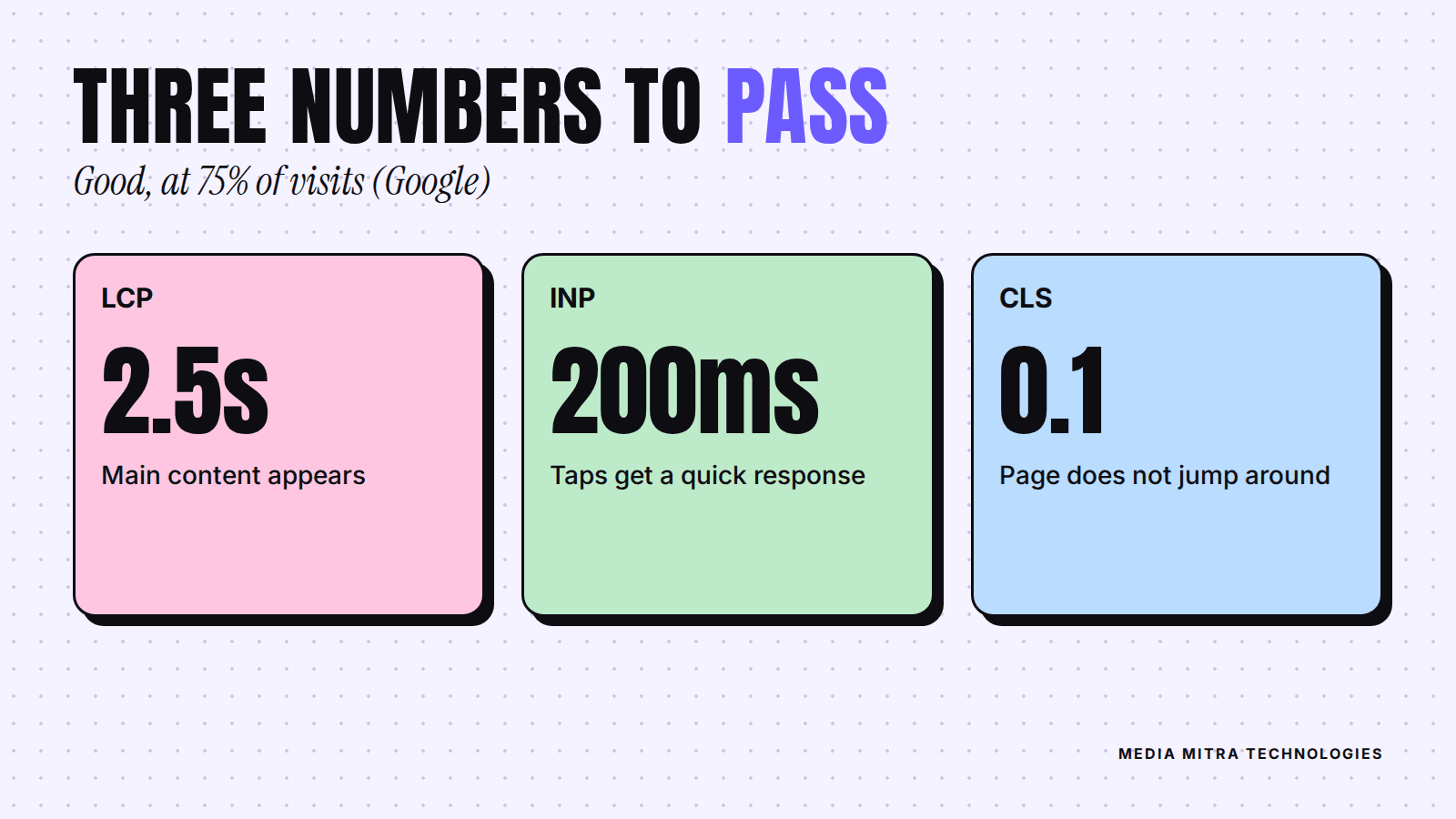
| Metric | What it measures | "Good" threshold |
|---|---|---|
| Largest Contentful Paint (LCP) | How quickly the main content appears | 2.5 seconds or less |
| Interaction to Next Paint (INP) | How quickly the page responds when someone taps or clicks | 200 milliseconds or less |
| Cumulative Layout Shift (CLS) | How much the page jumps around while loading | 0.1 or less |
Largest Contentful Paint: "is it loaded yet?"
LCP times how long it takes for the biggest visible element to appear. On most business sites that is the hero photo at the top of the homepage, or a large heading. If your homepage opens with a heavy banner image, LCP is almost always about that image.
Interaction to Next Paint: "did my tap work?"
INP looks at how long the page takes to react after a visitor interacts with it: opening a menu, tapping "Call now", choosing a size. A page that looks ready but freezes for a moment feels broken, even if it eventually works.
Cumulative Layout Shift: "why did the button move?"
CLS measures unexpected movement. You are about to tap "Order on WhatsApp", an image finishes loading above it, the button slides down, and you tap an ad instead. That is a layout shift, and visitors hate it.
How Google judges your pass or fail
Google's guidance is to measure the 75th percentile of page loads, split across mobile and desktop. In plain terms: at least three out of four visits should meet the good threshold. A site that is fast for you but slow for a quarter of its real visitors does not pass.
Does this really affect your Google ranking?
Google's Search documentation on Core Web Vitals says these metrics align with what its core ranking systems seek to reward, and that it highly recommends site owners achieve good Core Web Vitals for success with Search.
Be realistic about what that means. Page experience is one of many signals. A fast page with nothing useful on it will not outrank a slower page that answers the searcher's question far better. If you want the bigger picture of getting found, our guide to local SEO in Nepal covers what matters beyond speed.
The more important reason to care is simpler: speed affects whether a visitor who already found you stays long enough to contact you. Slow pages quietly waste every rupee you spend on ads and SEO. We touched on this in why most Nepali business websites fail to get customers.
How to check your site in ten minutes
You need nothing but a browser and your website address.
- Open PageSpeed Insights. Google lists it among the tools that measure LCP, INP and CLS. Paste your homepage address and run the test.
- Read the top section first. If it shows real-user data for your site, that is the number that counts. Small, newer sites often have too little traffic for this data, so you may only see the lab test below it. That is fine: treat it as a useful estimate, not a verdict.
- Test your most important pages, not only the homepage. If most customers arrive from a Facebook ad, test that landing page. If they arrive from Google Maps, test the page your Google Business Profile links to.
- Check Search Console if you have it. Google points site owners to the Core Web Vitals report there, which groups your pages into good, needs improvement, and poor.
- Test on mobile data, on a real phone. Open your site on a mid-range Android phone with Wi-Fi off. Count how long until you can read the first screen. No tool replaces this.
Write down the three numbers and the date. Without a starting point you cannot tell whether a fix worked.
What to fix first
Do not try to fix everything. Work in this order, because the first item solves the most common problem on small business sites.
1. Fix a slow LCP, usually the hero image
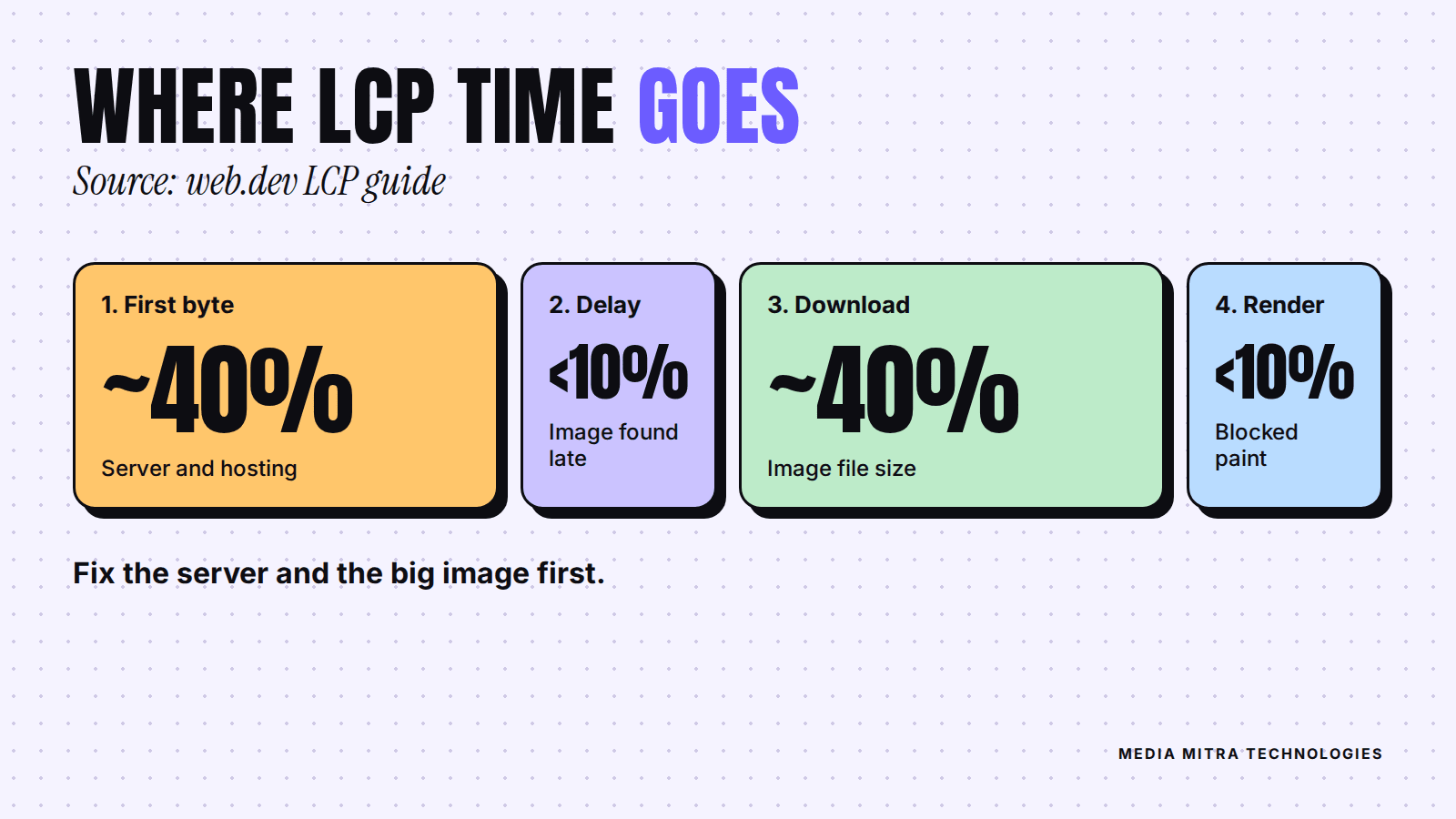
Google's LCP optimization guide splits LCP into four parts: time to first byte, resource load delay, resource load duration, and element render delay. It describes roughly 40% of LCP going to time to first byte and about 40% to loading the resource itself, with the other two parts each under 10%. That tells you where to look: the server and the big file.
Practical steps from that guide, translated for a business owner:
- Compress the main image and use a modern format. A 3 MB photo straight from a phone camera has no place at the top of a homepage. Ask your developer to resize it to the size it is actually shown at.
- Never lazy-load the first big image. Lazy loading tells the browser to wait. That is useful for images far down the page and harmful for the one at the top. The guide specifically says not to apply it to the LCP element.
- Tell the browser the hero image matters. Developers do this with the
fetchpriority="high"attribute on the image. - Use a CDN and caching. A content delivery network serves your files from a server closer to the visitor, and good cache settings stop repeat visitors re-downloading everything.
- Cut redirects. Every extra hop, such as http to https to www, adds waiting time before anything loads.
If your hosting itself is slow to respond, no image trick will rescue you. A slow first byte is a hosting or server-setup problem, and it is a fair reason to ask your provider hard questions.
2. Stop the page from jumping (CLS)
Google's CLS guide lists the usual culprits and fixes:
- Images without dimensions. Always set width and height on images, or use the CSS aspect-ratio property, so the browser reserves space before the image arrives.
- Late-loading banners, embeds and ads. Reserve space for them with min-height or aspect-ratio instead of letting them push content down.
- Web fonts that swap in late. Choose sensible fallback fonts and preload the important font files so text does not reflow.
- Animations that move layout. Use transform-based animations rather than animating position properties.
A common local example: a popup offer or cookie bar that appears two seconds after load and shoves the whole page down. Reserve its space, or make it overlay the page instead of pushing content.
3. Make taps respond quickly (INP)
INP problems usually come from too much JavaScript running at once. Typical sources on small business sites are chat widgets, multiple tracking scripts, sliders, and page builder add-ons. The honest fix is subtraction. Ask: which scripts do we actually use? Remove the ones nobody looks at. Each tool you add costs something in speed.
A simple do-and-avoid list
If you only remember one list, make it this:
- Do resize and compress every image before upload.
- Do set image dimensions so nothing jumps.
- Do remove plugins and scripts you do not use.
- Do test on a real phone on mobile data.
- Avoid auto-playing background video on the homepage.
- Avoid stacking five popups and widgets on one page.
- Avoid judging speed only on your office Wi-Fi.
Common mistakes we see
Chasing a perfect score. A score of 100 is not the goal. The goal is that real visitors get a fast, stable page. Passing the thresholds matters more than a perfect lab number.
Fixing the homepage and forgetting everything else. Service pages, blog posts and landing pages get traffic too.
Buying a new website when the old one only needs an image diet. Sometimes a rebuild is justified, but often the fix is smaller. Our breakdown of website cost in Nepal will help you judge what a fair price looks like for each option.
Ignoring speed in the brief. If you are planning a new site, put performance targets in writing from the start. Our website brief template is a good place to add a line such as "Pages should meet the Core Web Vitals good thresholds on mobile."
Frequently Asked Questions
What is a good PageSpeed score?
Google's own thresholds are for LCP, INP and CLS, not for the overall number. Aim to get all three into the good range for most visits, and treat the overall score as a rough guide.
Why does my site pass on my laptop but fail on mobile?
Phones have slower processors and often slower networks. Real visitors in your city are more likely to be on a phone than on your office computer, so mobile results matter most.
Does my Facebook page or Linktree need to meet Core Web Vitals?
Core Web Vitals apply to web pages you control. If most of your presence is on social platforms, you cannot tune their speed, which is one reason a proper website is worth having. We compared the two in website vs social media for Nepali startups.
How long until improvements show up?
Google's real-user numbers are based on accumulated visits, so changes can take a few weeks to show up in field data. The lab test in PageSpeed Insights reflects changes immediately, which is why you should record both.
Can I fix this myself?
Resizing images and removing unused plugins, yes. Server configuration, caching and script work usually need a developer.
Conclusion
Core Web Vitals sound technical, but the idea is ordinary: load fast, stay still, respond quickly. Test your key pages today, write down your three numbers, and fix the biggest image first. For most small business sites that single step moves the needle more than any other.
If you would like a developer to look at your site's speed and tell you plainly what is worth fixing, get in touch with Media Mitra Technologies and we will take a look.