
Most small business websites tell Google what they are only by accident. The name sits in a header image, the phone number is a picture, and the opening hours are buried in a paragraph on the contact page. A person can work all that out. A search engine has to guess.
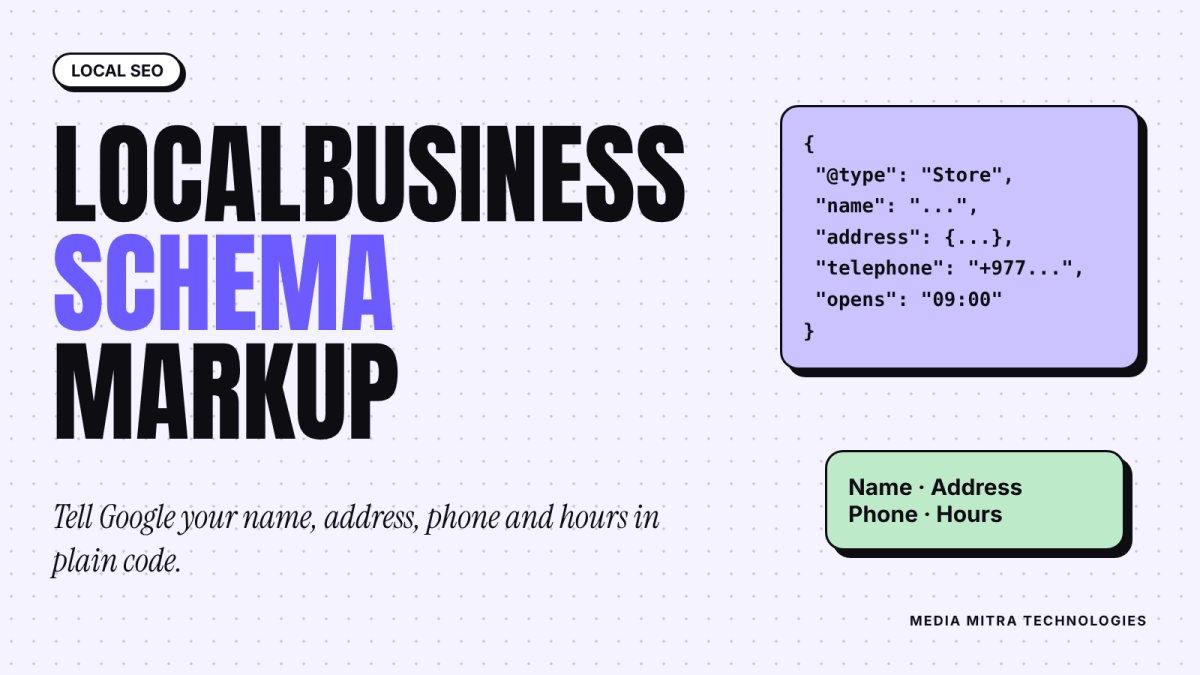
LocalBusiness schema markup is a small block of code that removes the guessing. It states your business name, address, phone number and opening hours in a format search engines read directly. It is not magic, and it will not push you to the top of the results. But it is cheap, it takes under an hour, and it is one of the few technical SEO jobs a shop owner can finish in a single sitting.
This guide explains what it is, what to include, how to write it for a Nepali business, and how to avoid the mistakes that make it useless or risky.
What LocalBusiness Schema Actually Is
Structured data is, in Google's words, a standardized way to give it explicit clues about the meaning of a page. Google's introduction to structured data says it uses this information to understand the page and can use it to show enhanced results.
Schema.org is the shared vocabulary behind it. LocalBusiness is one type in that vocabulary, meant for a physical business serving a local area. More specific types sit underneath it, such as Restaurant, Dentist or Store, and Google advises using the most specific type that fits.
You write it as JSON-LD, a short piece of data placed in your page. Google says it generally recommends JSON-LD if your site setup allows it. Microdata and RDFa also work, but JSON-LD is easier because it sits in one block instead of being threaded through your visible HTML.
What it does and does not do
- It helps search engines read your business details without guessing.
- It can make your page eligible for certain enhanced results.
- It does not guarantee any of them. Google states that it does not guarantee your structured data will show up in search results.
- It is not a ranking switch. Think of it as clear labelling, not a shortcut.
If you are still building the basics of being found locally, start with our guide to local SEO in Nepal and set up a Google Business Profile first. Schema supports those, it does not replace them.
Which Details to Include
Google's LocalBusiness documentation lists two required properties and several recommended ones.
| Property | Status | What to put |
|---|---|---|
| name | Required | Your business name, exactly as it appears on your signboard and website |
| address | Required | A PostalAddress with as many parts filled in as you can |
| telephone | Recommended | Include the country code, for Nepal +977 |
| url | Recommended | The working URL of the page for this location |
| openingHoursSpecification | Recommended | Days, opening time, closing time |
| geo | Recommended | Latitude and longitude with at least five decimal places |
| priceRange | Recommended | A short text under 100 characters |
| menu, servesCuisine | Recommended | Only for food businesses |
Two properties deserve a warning. The aggregateRating and review properties are recommended by Google only for sites that collect reviews about other local businesses. If you run a shop and paste your own star rating into your own markup, you are using it in a way the documentation does not intend, and it can look like self-serving review markup. Leave it out.
Be specific about the address
For a Nepali business, the address is where people go wrong. A PostalAddress has parts: streetAddress, addressLocality, addressRegion, postalCode and addressCountry. Fill what you really have. A Birgunj shop might use the street or tole name, "Birgunj" as the locality, the province, and "NP" as the country. If you do not have a reliable postal code, skip that field rather than inventing one.
Keep the address identical to the one on your Google Business Profile and website footer. Mismatched details across places are a common source of confusion for both customers and search engines.
A Working Example
Below is a sample for a made-up shop called Example Stationery in Birgunj. Every value is a placeholder you must replace with your own real details. The phone number here is deliberately fake.
{
  "@context": "https://schema.org",
  "@type": "Store",
  "name": "Example Stationery",
  "url": "https://www.example.com/",
  "telephone": "+977-00-000000",
  "address": {
    "@type": "PostalAddress",
    "streetAddress": "Main Road",
    "addressLocality": "Birgunj",
    "addressCountry": "NP"
  },
  "openingHoursSpecification": [
    {
      "@type": "OpeningHoursSpecification",
      "dayOfWeek": ["Sunday", "Monday", "Tuesday", "Wednesday", "Thursday", "Friday"],
      "opens": "09:00",
      "closes": "19:00"
    }
  ]
}
To use it, wrap this block in a script tag with the type "application/ld+json" and place it in the head or body of your page. Google's own example uses exactly that pattern.
Opening hours rules worth knowing
Google's documentation gives several formatting rules for hours:
- Use full day names such as "Monday".
- Use 24-hour times, like "09:00" and "19:00".
- For hours past midnight, use one entry with a closing time earlier than the opening time.
- For a business open all day, use opens "00:00" and closes "23:59". For a day you are closed, set both to "00:00".
- Use validFrom and validThrough in YYYY-MM-DD form only for seasonal changes. Leave them out for normal year-round hours.
Nepal has a six-day week for many shops, with Saturday as the usual closed day. Make sure your markup reflects your real week, not a template copied from a foreign example.
Where to Put It
How you add the block depends on how your site is built.
WordPress and other CMS sites
Most SEO plugins can output business details for you. Google's documentation notes that CMS plugins are one way to generate structured data. Check what your plugin already adds before pasting extra code, because duplicate or conflicting blocks create confusion.
Custom or hand-built sites
Place the script tag in the head of the contact page or home page, whichever page represents the business location. If your business has one location, one block on one clear page is enough. You do not need it repeated on every page.
Multiple branches
Give each branch its own page with its own markup and its own url. Google's guidance for the url property is that it should be the URL of the specific location, and it must work. Putting three branches into one vague block helps nobody.
If you are planning a new site, put this on the list in your website brief so the developer builds it in from the start.
Test It Before You Trust It
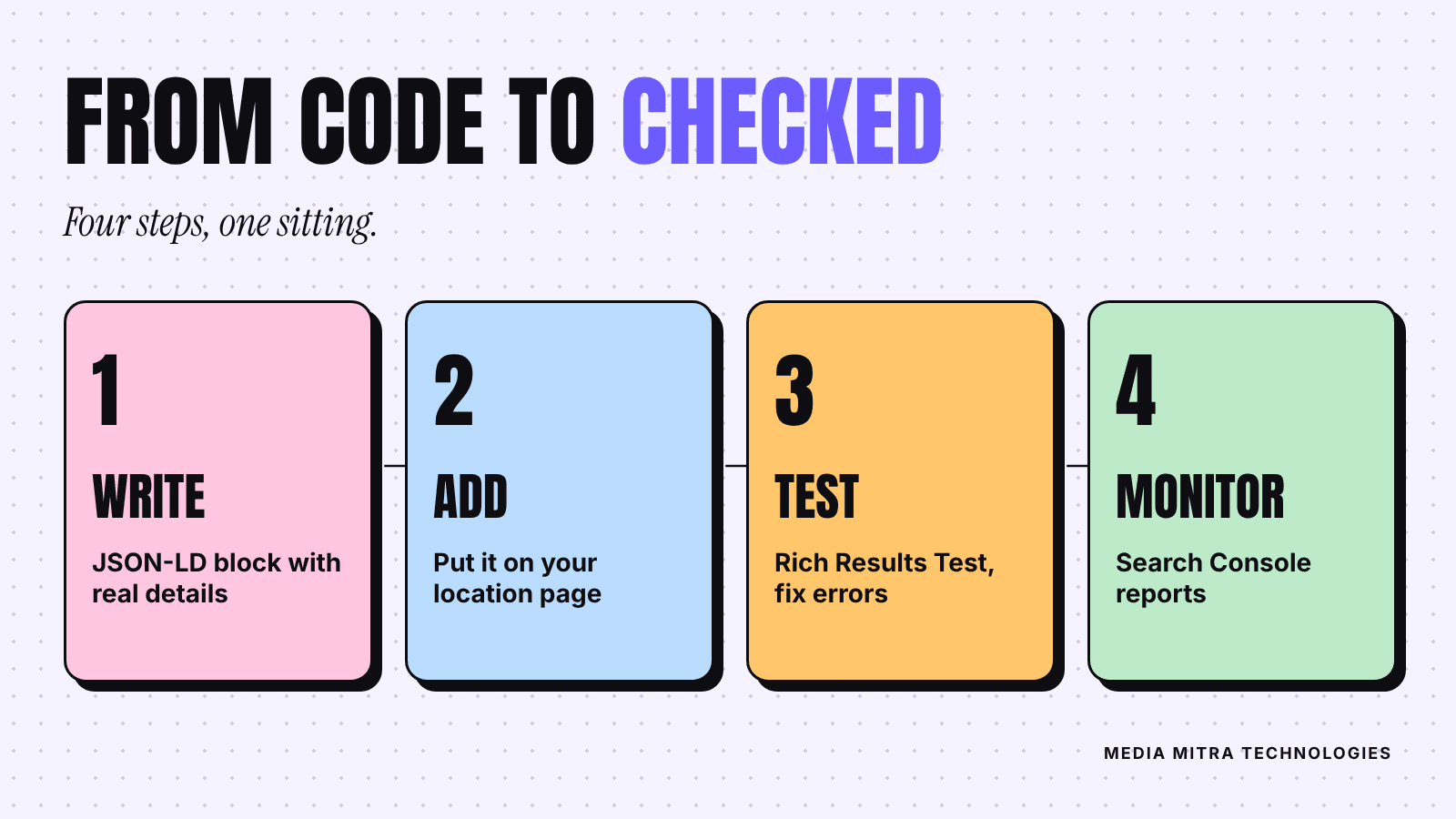
Google's recommended process has three parts.
- Check your markup in the Rich Results Test and fix critical errors.
- Deploy to a few pages and use the URL Inspection tool to confirm they are not blocked by robots.txt, a noindex tag or a login requirement.
- Submit a sitemap and allow time for recrawling and reindexing.
After launch, use the rich result status reports in Search Console. Google points out that templating or serving problems can break markup later, so the monitoring matters. If you have not connected your site yet, follow our Search Console setup guide.
A warning about patience: nothing changes overnight. Pages must be recrawled first, and even correct markup may produce no visible change at all.
The Rules That Keep You Safe
Google's general structured data guidelines are short and worth reading in full. The structured data policies say, in effect:
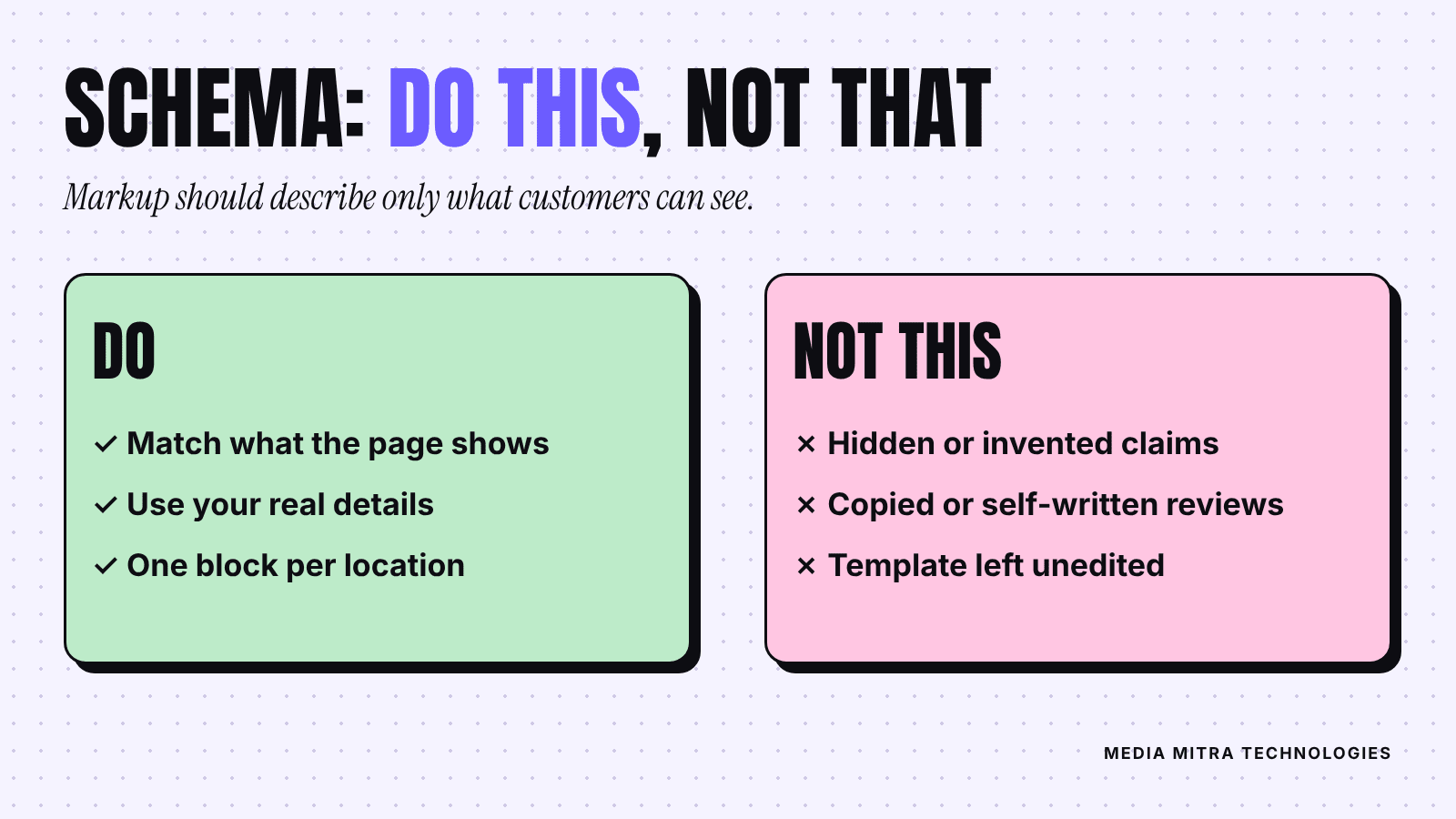
- Markup should describe only content people can actually see on the page.
- Markup must be a true representation of the page. Fake reviews, unrelated content, or markup that impersonates a person or organization break the rules.
- Violations can lead to a manual action, which removes the page's eligibility for rich results.
For a small business the practical rule is simple: if it is not on the page for a customer to read, it does not go in the schema. If you list opening hours in the code, show the same hours on the page. If your shop closes at 7 pm, the code says 19:00.
Common mistakes
- Copying a template and forgetting to change the sample name, phone or hours.
- Marking up reviews you wrote yourself.
- Using the generic LocalBusiness type when a specific subtype fits.
- Leaving out the country code on the phone number.
- Changing business hours on the website but not in the code.
- Adding markup for services or products you do not offer.
Keep It Current
Schema is not a one-time task. Whenever your hours, phone number, address or website address changes, update four places together: the visible page, the schema block, your Google Business Profile and your social profiles. Set a reminder to review them every quarter and before festival seasons, when hours often shift.
Frequently Asked Questions
Do I need schema markup to appear on Google?
No. Google can index and show a site without it. Markup gives clearer signals about your business details and may make a page eligible for enhanced results, but it is not a requirement.
Will LocalBusiness schema improve my ranking?
Do not expect that. Google's documentation describes structured data as a way to help it understand pages and enable features, and it does not promise any ranking boost. Treat it as good housekeeping.
Is JSON-LD better than Microdata?
Google says it generally recommends JSON-LD when your setup allows it. Microdata and RDFa are acceptable if valid. For most small sites JSON-LD is simpler because it lives in one block.
Can I add my Facebook star rating to the markup?
Avoid it. Google recommends review markup for LocalBusiness only for sites that capture reviews about other local businesses, and self-written or copied reviews can violate the guidelines.
How long until I see results?
There is no fixed timeline. Google needs to recrawl and reprocess the page, and enhanced results are never guaranteed. Check the Rich Results Test straight away and Search Console over the following weeks.
What if my business has no street address?
The address property is required for LocalBusiness. If you serve customers only at their location and have no public premises, this markup may not suit you, and your effort is better spent on your Google Business Profile and website content.
Conclusion
LocalBusiness schema is a modest job with a clear payoff: your name, address, phone and hours are stated plainly, in a format machines read without guessing. Write it with real details, match it to what the page shows, test it, and keep it updated. Skip the shortcuts like invented reviews.
If you would rather have this handled properly along with the rest of your local search setup, the Media Mitra team in Birgunj can audit your site and add it for you. Reach us at https://www.mymediamitra.com/#contact.