
Most small business owners in Nepal have already tried it: open ChatGPT or a similar tool, type "write a Facebook caption for my shop", and get something usable in ten seconds. It feels like a shortcut, and sometimes it is. The risk is that the same shortcut can fill your website and pages with generic text that sounds like everyone else and tells customers nothing real about your business.
This guide is about using AI for marketing content in a way that saves time without hurting your search visibility or your reputation. It leans on what Google has actually published about AI-generated content, not on rumours from social media groups. Where I give opinions from agency experience, I say so.
What Google Actually Says About AI Content
A lot of confusion comes from one false belief: that Google bans AI-written content. It does not. Google's guidance on generative AI says AI can be useful for researching a topic and adding structure to original content, as long as your work meets its Search Essentials and spam policies.
The line Google draws is about value, not about the tool. Its spam policies describe "scaled content abuse" as generating many pages mainly to manipulate search rankings, and they give a specific example: using generative AI tools to generate many pages without adding value for users. The same policy applies if the pages were written by humans in bulk, scraped, or stitched together from other sites.
Google's guidance on helpful content adds the questions worth asking about every page:
- Would your existing audience find this useful if they arrived directly?
- Does it show first-hand experience, like using a product or visiting a place?
- Will a reader finish feeling they learned enough to reach their goal?
It also lists warning signs: content produced mainly to attract search visits, extensive automation across many topics, and summarising other people's work without adding anything. Google also notes that trust is the most important part of what it calls E-E-A-T (experience, expertise, authoritativeness and trustworthiness).
So the practical reading is simple. AI is allowed. Thin, copied, mass-produced pages are the problem.
Where AI Helps a Small Business (and Where It Hurts)
From working with small businesses, my own view is that AI is good at the boring middle of the job and weak at the parts customers actually care about.
Good uses
- Brainstorming: ten angles for a festival offer, or twenty post ideas for a month.
- Structure: turning your rough notes into an outline with headings.
- Editing: tightening a long paragraph, fixing grammar, simplifying language.
- Repurposing: turning your own blog post into three short captions.
- Drafting boring text: FAQ wording, email subject line options, alt text drafts you then correct.
Risky uses
- Facts about your business: opening hours, prices, delivery areas, warranties. A model predicts likely words, it does not look up your shop. Google itself warns that generated output can contain errors.
- Local knowledge: which market lane, which landmark, which festival rush matters to Birgunj shoppers. Generic text misses this.
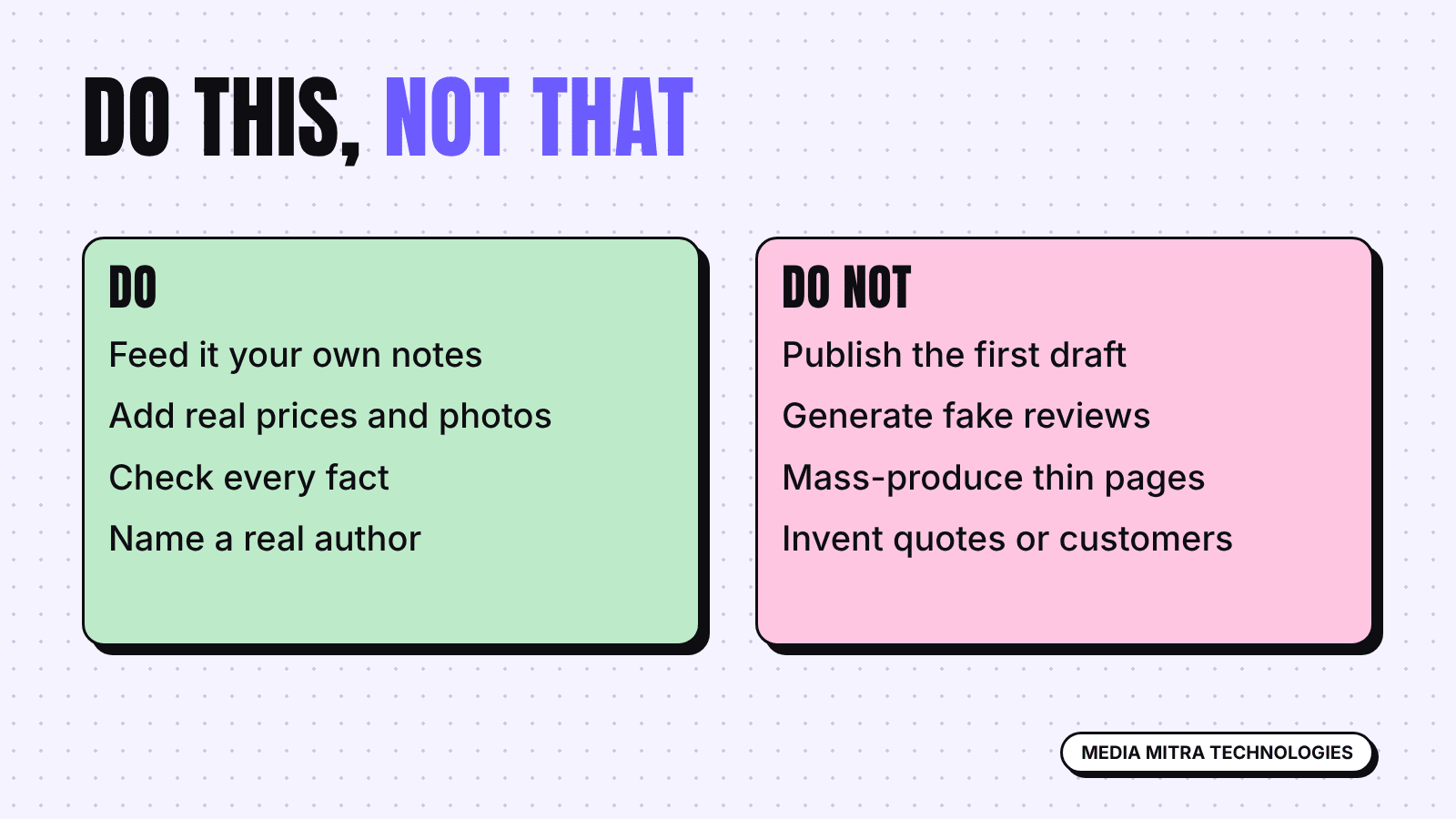
- Reviews and testimonials: never generate them. Fake social proof is a trust problem and can break platform rules.
- Mass pages: fifty near-identical "best X in [town]" pages are exactly the pattern Google describes as scaled content abuse.
| Task | AI role | Your role |
|---|---|---|
| Blog post | Outline, first draft of generic parts | Real examples, prices, photos, final edit |
| Facebook caption | Three options | Pick, add local detail, check facts |
| Product description | Draft structure | Verify specs, materials, sizes |
| Customer reply | Suggest wording | Decide what is true and promised |
A Simple Workflow You Can Repeat
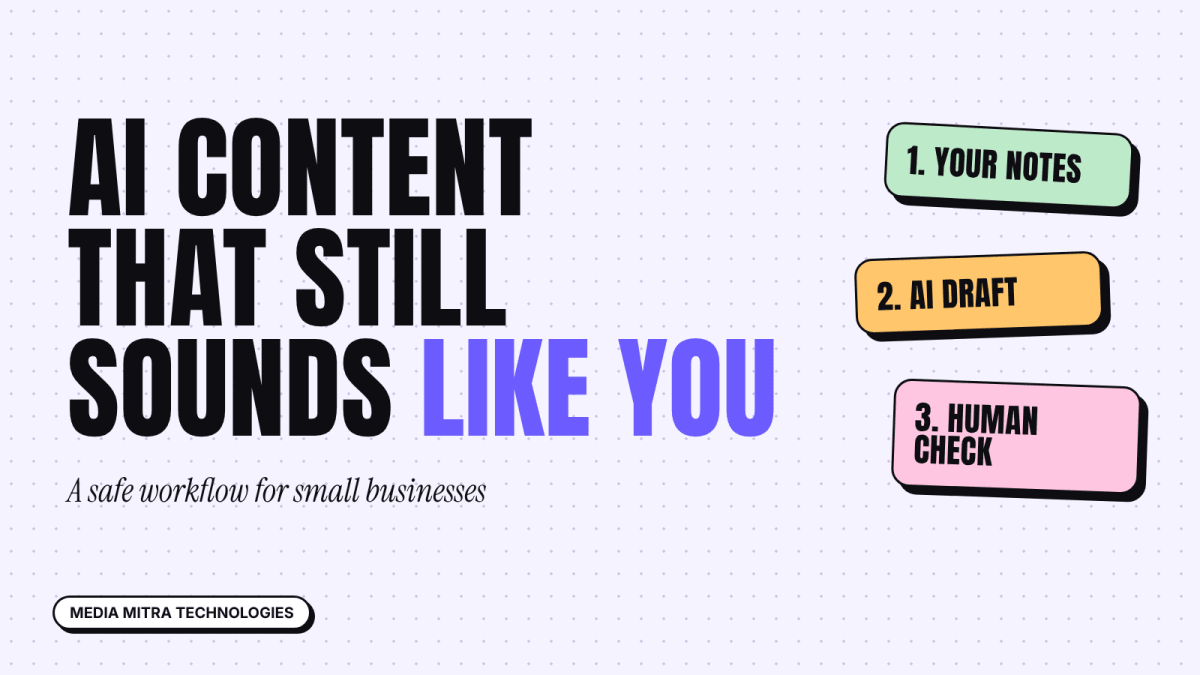
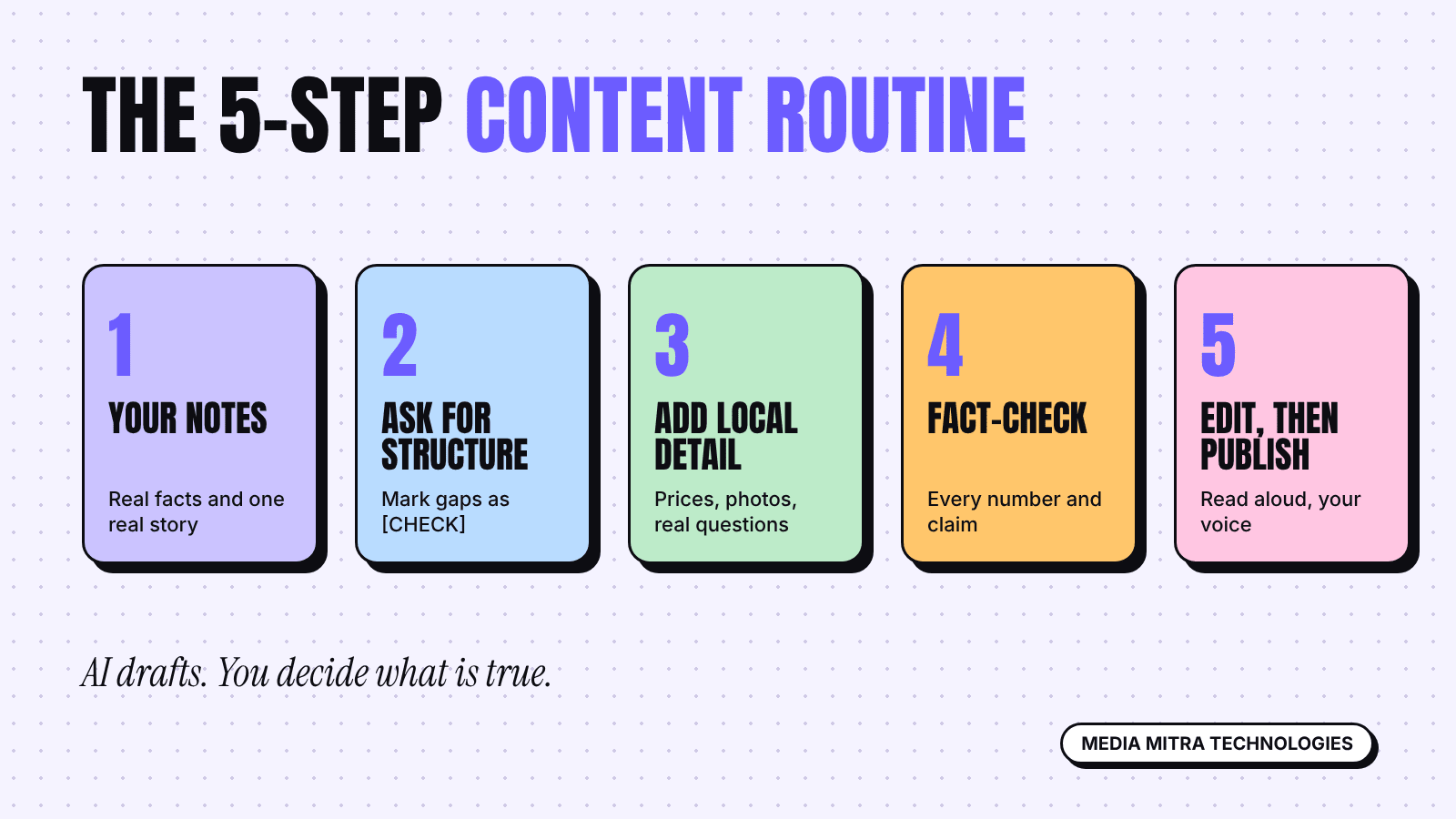
Here is a five-step routine that keeps the speed and removes most of the risk.
Step 1: Start with your own notes
Before you open any tool, write five or six bullets in your own words: what the customer asks most, what you sell, what makes you different, one real story from the shop. Paste those into the tool. A prompt with real material produces a draft with real material. A prompt with only "write about momos" produces filler.
Step 2: Ask for structure, not a finished piece
Ask for an outline or a rough draft, and tell it who the reader is. For example: "Audience: parents in Birgunj choosing a school bag. Tone: plain and friendly. Use only the facts I give you. If you need a fact I did not give, write [CHECK] instead of guessing." That last instruction is useful, because it makes gaps visible.
Step 3: Add what only you know
This is where the page earns its place. Add the real price range, the real photo of your counter, the question a customer asked last week, the mistake you see people make. This is the first-hand experience Google's guidance asks about, and no tool can supply it for you.
Step 4: Fact-check line by line
Google's guidance says to review generated content manually for accuracy before publishing, including titles, meta descriptions, structured data and image alt text. Do the same. Search every [CHECK] marker. Confirm every number against a source you trust. Delete any claim you cannot confirm.
Step 5: Edit for your voice, then publish
Read it aloud. If it sounds like a brochure for nobody in particular, rewrite those lines. Remove stock phrases. Short sentences usually help.
Disclosure, Images and Honesty
Google's guidance says to consider explaining how automation was used where readers would reasonably expect it, and it asks you to make the creator of a page clear. Fabricated authors are called deceptive. In practice for a small business:
- Put a real name or the business name as the author.
- If a page is mostly generated, say so plainly, or better, rewrite it until you are comfortable standing behind it.
- Never invent a customer, a staff member or an expert quote.
For AI-generated images, Google's guidance recommends embedding IPTC DigitalSourceType metadata set to TrainedAlgorithmicMedia. Also avoid showing a generated image as if it were your real shop, your real product or a real customer. If a customer is going to receive the product, show the product you actually sell.
Common Mistakes We See
- Publishing the first draft. It reads smoothly and is often bland or wrong in small ways.
- Using AI for every post. If every caption has the same rhythm, followers notice.
- Chasing keywords with many thin pages. One strong page beats twenty weak ones.
- Trusting generated numbers. Prices, laws, tax rules and platform limits change. Check official pages.
- Skipping local detail. The best marketing in Birgunj sounds like Birgunj.
If you are still deciding where to put effort, our guide to social media content calendars shows how to plan a month so AI help has a clear brief. Fixing your basics matters first too: see why many Nepali business websites fail to get customers and the brand style guide template, which gives any tool a voice to follow.
A Quick Checklist Before You Hit Publish
- Does the page contain at least one thing only my business could say?
- Did I check every price, date, name and claim?
- Is the author or business clearly named?
- Would a customer finish this and know what to do next?
- Is this page truly needed, or am I publishing it only for search traffic?
Frequently Asked Questions
Does Google penalise AI-written content?
Not for using AI alone. Google's guidance says AI-assisted content is acceptable if it meets Search Essentials and spam policies. The problem is producing many pages without adding value for users.
Should I tell readers I used AI?
Google suggests explaining automation where readers would reasonably expect it. For a small business, the safer path is to make sure a real person reviewed, corrected and approved everything, and to be honest if asked.
Can I use AI for product descriptions?
Yes as a draft, but verify every specification yourself. For Google Merchant Center listings, Google has separate rules, including labelling AI-generated product data.
Is it better to write everything by hand?
Not necessarily. Hand-written content can also be thin. What counts is accuracy, usefulness and first-hand detail.
How much should I use AI for social media?
Use it for ideas and first drafts. Keep your real photos, real offers and real replies human.
Conclusion
AI can make a small marketing team faster, but speed is not the goal. A page that helps a real customer with real, checked information is the goal, and a tool cannot supply the experience behind it. Use AI for structure and drafts, add your own knowledge, verify the facts, and publish fewer, better pages.
If you want help building a content plan that uses these tools sensibly, with real local detail behind it, talk to the Media Mitra team.
Sources used for this guide: Google Search Central, Google Search's guidance on using generative AI content, Creating helpful, reliable, people-first content, and Spam policies for Google web search.