
Most small businesses do not have a content problem. They have a Sunday night problem. It is 9 PM, the shop is closed, and someone says, "We should post something." Twenty minutes later a half-blurry photo goes up with the caption "New stock available," and nobody touches the page again for nine days.
A content calendar fixes that. It is not a fancy tool or a corporate template. It is a simple plan that answers three questions before the week starts: what are we posting, where, and who is doing it. This guide shows you how to build one for a small business, whether you run a clothing store in Birgunj, a clinic in Kathmandu, or a service company with two staff members.
What a content calendar actually is (and is not)
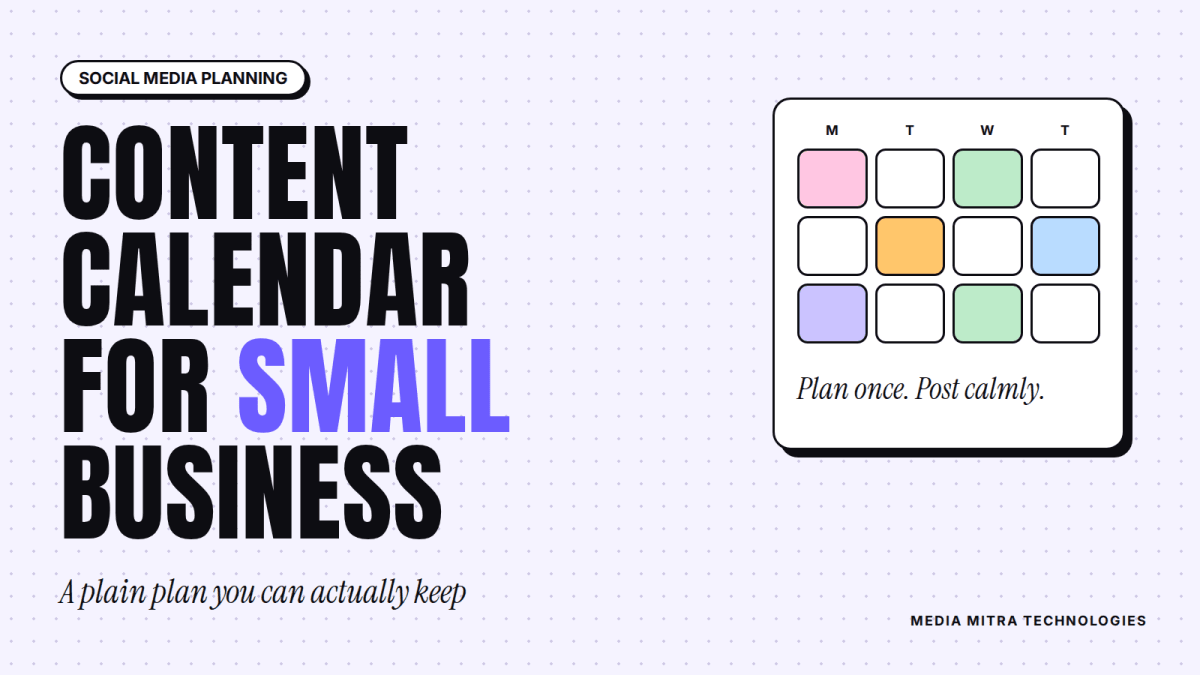
A content calendar is a shared page, usually a spreadsheet, that lists every post you plan to publish over a set period. Each row has a date, a platform, a topic, the format (photo, Reel, carousel, text), the caption status, and an owner.
It is not a promise to post every day. It is not a collection of "viral ideas" copied from other pages. And it is not something you build once and forget. Think of it as a weekly habit with a monthly review.
The biggest benefit is not scheduling. It is that planning ahead forces you to decide what your page is for. A calendar full of random "good morning" posts shows you quickly that the page has no point of view.
Step 1: Start with customer questions, not post ideas
The usual mistake is opening a blank sheet and trying to invent 30 post ideas. That is exhausting, and the result is generic.
Start with your customers instead. Open your WhatsApp, Messenger and Instagram inboxes and write down the last 20 questions people asked. You will see patterns quickly:
- "Price?" and "What is the rate for this?"
- "Do you deliver outside Birgunj?"
- "Is this original or copy?"
- "Until what time are you open?"
- "How long does it take?"
Every repeated question is a post. Answer it once, properly, in a photo, a short Reel or a carousel, and you save yourself from typing the same reply fifty times. This also matches how Google describes useful content: it wants content "created primarily for people, and not to manipulate search engine rankings," according to Google's guidance on creating helpful, people-first content. The same instinct works on social media. Posts that answer real questions beat posts that only fill space.
If you are also setting up customer chat, our WhatsApp Business App setup guide pairs well with this step, because saved quick replies show you exactly which questions come up most.
Step 2: Pick three to four content pillars
Pillars are the recurring themes your page is built on. Without them, every post feels like a fresh decision. With them, you only choose which pillar, then which angle.
A good small business uses three or four pillars. Here is an example for a hypothetical home bakery:
| Pillar | What it covers | Example post |
|---|---|---|
| Product | What you sell, with real prices | Photo of a birthday cake with size and price range |
| Proof | Why people can trust you | A customer's picture (with permission), a behind the counter clip |
| Answers | Questions people ask | "How far ahead should I order a cake?" |
| People | The humans behind the brand | Short intro of the baker, the morning routine |
Notice that only one pillar is a direct sales post. If every post says "buy now," followers stop paying attention, and platforms have little reason to show you to new people.
How to choose your pillars
Ask yourself which mix of posts would convince a stranger to message you. Most buyers need to see the product, believe you will deliver, and feel they know who they are dealing with. Your pillars should cover those three needs.
Step 3: Decide a posting rhythm you can keep
Consistency matters more than volume. A page that posts three times a week for six months will usually beat a page that posts daily for two weeks and disappears.
Be honest about your capacity. If one person handles everything, three posts a week is realistic. If you have a designer and a video editor, five may work. If you are starting from nothing, begin with two.
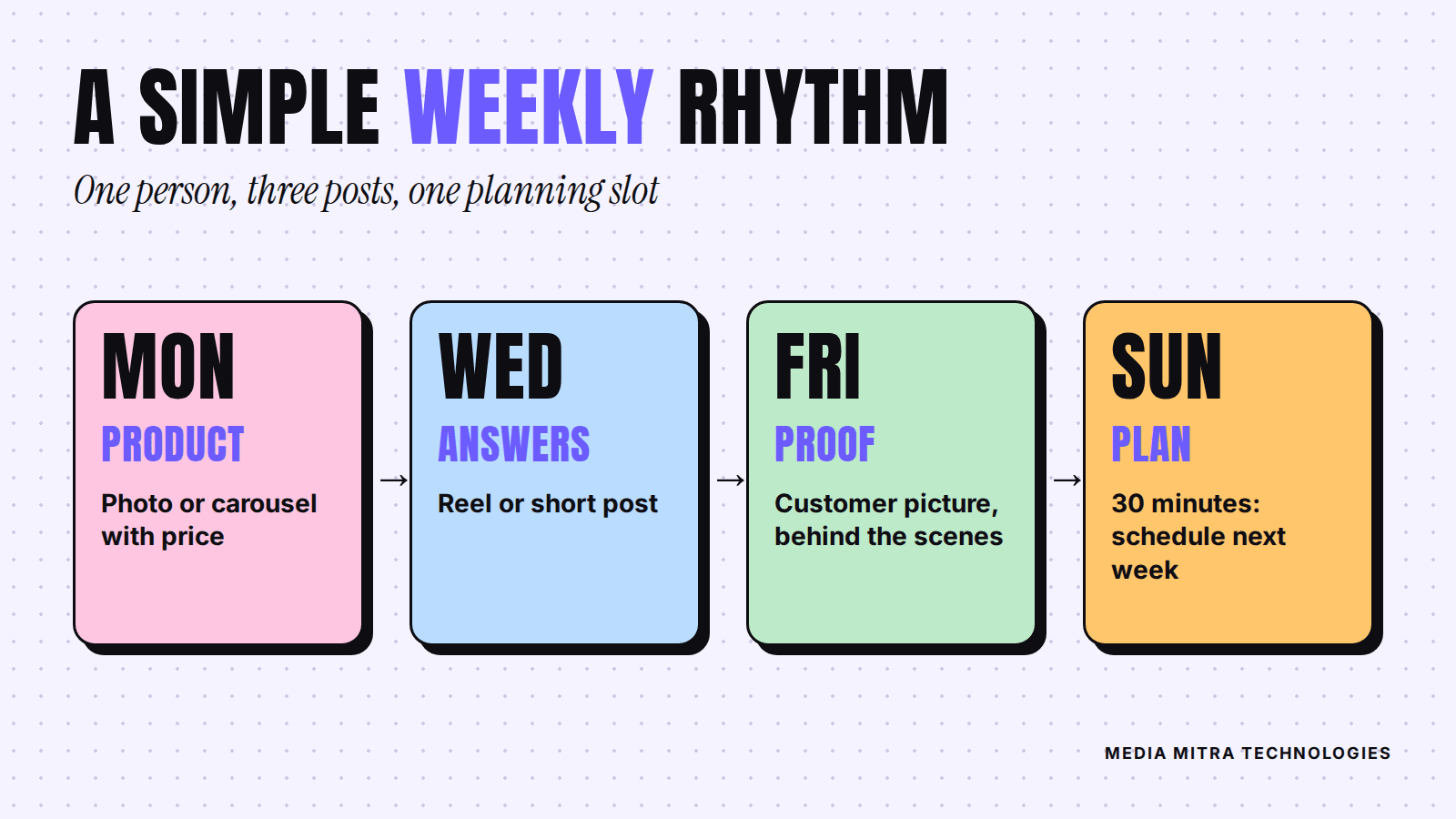
A simple starting rhythm for a one-person team looks like this:
- Monday: a product post (photo or carousel).
- Wednesday: an answers post (Reel or short text post).
- Friday: a proof or people post (customer picture, behind the scenes).
- Sunday, 30 minutes: plan and schedule the next week.
Which platform gets which post depends on where your customers are. If you are still deciding, read our comparison of Instagram, Facebook and TikTok for Nepali businesses before you spread yourself across all three.
Where Reels fit
Short vertical video deserves a slot of its own in the calendar, because it takes longer to produce than a photo. If you want the case for it, see why Birgunj brands should switch to Reels. A practical trick is to film several clips in one session, then spread them across the month.
Step 4: Build the calendar itself
You do not need paid software. A Google Sheet with these columns is enough:
- Date and day
- Platform (Facebook, Instagram, TikTok)
- Pillar (Product, Proof, Answers, People)
- Topic or hook (the first line a viewer will see)
- Format (photo, carousel, Reel, story)
- Asset status (not started, shot, edited, ready)
- Caption status (not started, drafted, approved)
- Owner
- Link (paste the post link after publishing)
Add a second tab called "Ideas" where anyone on the team can drop a thought at any time. When you plan the week, you pull from that tab instead of starting from zero.
Plan around real dates
Mark the dates that affect your sales: festivals, wedding season, school admissions, exam results, and your own offers. Work backwards. If you sell gifts, the posts that matter most go out before the festival, when people are choosing, not on the day itself.
Do not copy a festival calendar from the internet without checking it. Many Nepali festival dates follow the lunar calendar and change every year, so confirm each date from a reliable local calendar before you commit a campaign to it.
Step 5: Batch your work
Batching means doing one type of task for many posts at once. It is the single biggest time saver in content planning.
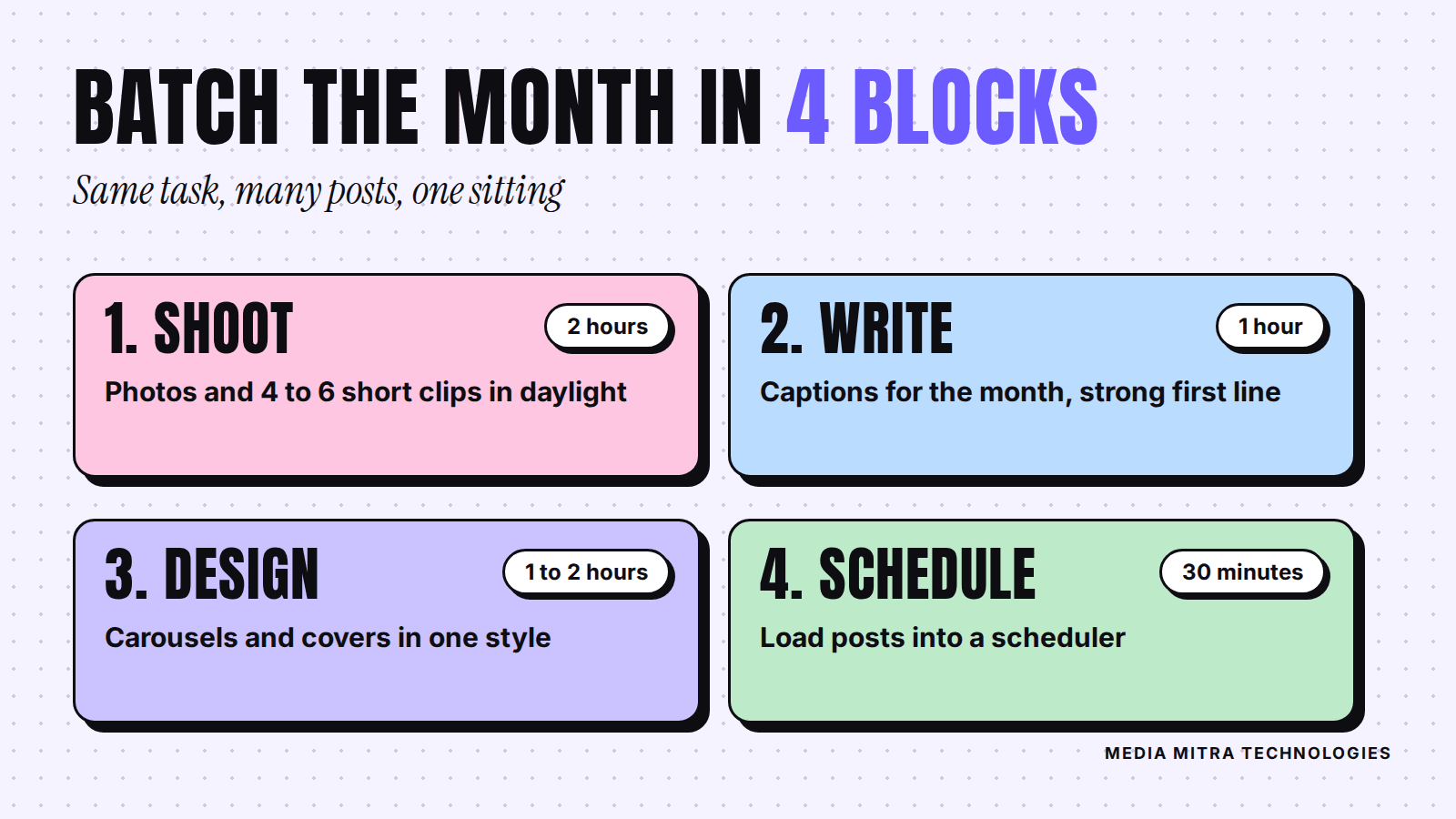
A workable monthly routine for a small team:
- Shoot block (2 hours): photograph products and film 4 to 6 short clips in good daylight.
- Write block (1 hour): draft captions for the whole month, starting with the first line, since that is what people see before they tap "more."
- Design block (1 to 2 hours): make carousels and covers using one fixed style. If you do not have one yet, our brand style guide template will help you set colours, fonts and tone in a single page.
- Schedule block (30 minutes): load the posts into a scheduler. Meta Business Suite lets you plan Facebook and Instagram posts ahead, but scheduling limits and features change over time, so check the current options inside the app instead of relying on an old tutorial.
Keep a small buffer of two or three "evergreen" posts that are always ready, such as a delivery policy explainer or an intro of your team. When a day goes wrong, you still have something to publish.
Step 6: Leave room for what happens today
A calendar that cannot bend will be abandoned. Reserve about one post in five as a flexible slot. Use it for a customer who just received an order, a new arrival, a local event, or a quick reply to a trending question in your industry.
Also decide who replies to comments and messages, and when. A beautiful calendar means little if enquiries sit unanswered for a day. Planned posting and quick replies work together.
Step 7: Review monthly and change one thing
At the end of each month, spend 30 minutes with the numbers. Do not drown in metrics. Look at three things:
- Which five posts got the most saves, shares or messages? Those are signals of real interest. Likes alone say less.
- Which pillar produced the most enquiries? Not views, enquiries.
- What did you skip? If you skipped the Reels slot three weeks running, the plan was too ambitious. Shrink it.
Then change exactly one thing for the next month: a new format, a different posting day, or a stronger first line. Changing five things at once teaches you nothing.
If you pay to promote posts, the calendar helps there too, since you can see which organic posts earned attention before you spend. Our guide to Boost Post vs Ads Manager explains how to decide where that money goes.
Common mistakes to avoid
- Planning 90 days ahead on day one. Plan two to four weeks. You will learn fast, and plans that are too long go stale.
- Posting only offers. Mix in answers, proof and people.
- Ignoring the first line. On most platforms the opening words decide whether anyone reads on.
- No owner. If a task belongs to "the team," it belongs to nobody.
- Treating the calendar as a cage. It is a guide. Change it when the business changes.
Frequently Asked Questions
How many posts a week should a small business publish?
Start with two or three and keep that rhythm for at least a month. Raise it only when you can maintain it without cutting quality. Regular, useful posts matter more than a high count.
Do I need a paid tool to manage a content calendar?
No. A shared spreadsheet works well for most small businesses. Paid tools become useful when several people approve content or you manage many accounts.
What if I run out of ideas?
Go back to customer questions. Review your inbox, comments and the questions your staff answer in person. Those are your best source of topics, and they come from people who are already interested.
Should I post the same content on every platform?
You can reuse the idea, but adjust the format. A Reel idea might become a carousel on Instagram and a short text post on Facebook. Copying the exact file everywhere rarely feels natural.
How far ahead should I schedule?
One to two weeks is a comfortable range. It gives you structure without locking in content that may no longer fit your stock, prices or season.
Conclusion
A content calendar is not about being busy online. It is about deciding, once a week, what your business wants to say and making it easy to say it. Start small: collect customer questions, choose three pillars, pick a rhythm you can keep, and review it each month.
If you would rather hand this over, Media Mitra Technologies can plan, design and publish your social media content so your page keeps working while you run the business. Talk to us about a content plan and we will help you build one that fits your team.