
Most small businesses in Nepal collect phone numbers and Facebook followers, and almost nobody collects email addresses. That is a missed chance. A follower belongs to the platform. An email address belongs to you, and nobody can change an algorithm that sits between you and that customer.
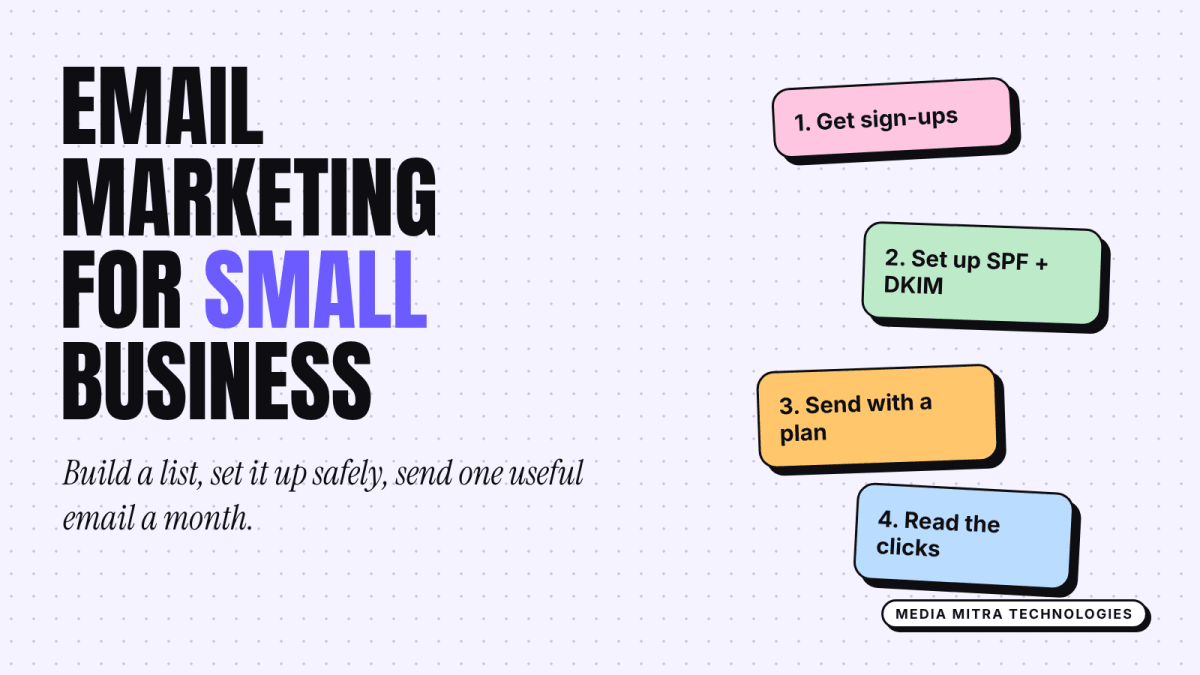
This guide is for owners who have never sent a marketing email and want a simple, safe way to start. It covers who to email, what to send, which tool setup to choose, and the technical basics that keep your messages out of the spam folder.
Why email still earns its place
Social media reach moves with every platform update. Email is slower and less exciting, but it is predictable: you write once, and every subscriber who opted in can receive it. If you already use WhatsApp Business for quick chats and a content calendar for social posts, email is the third channel that you fully control.
It suits some businesses better than others. A restaurant with a loyalty crowd, a clinic with repeat patients, a training institute with seasonal admissions, an online shop with repeat buyers, a B2B supplier with a list of known clients: all of these have people worth writing to more than once. A business that sells a single big purchase once in ten years gets less from it.
Step 1: Build a list people chose to join
Only email people who agreed to hear from you. This is not just manners. Gmail's sender rules tell senders to send only to people who opted in, and mailing unwanted messages is the fastest way to damage your reputation with inbox providers.
Practical places to collect addresses:
- A short sign-up form on your website, with one sentence on what people will get.
- A paper or tablet sign-up at your shop counter, with the person writing their own address.
- A checkbox on your order or booking form, unticked by default.
- A link in your WhatsApp or Instagram bio that opens a simple form.
- Your invoices or quotation emails, with a line inviting customers to join your updates.
Give people a reason. "Join our newsletter" is weak. "One email a month with new arrivals and festival offers" is clear. Say how often you will write, then keep that promise.
Do not buy lists and do not copy addresses from a directory. Those people have never heard of you, and a few spam complaints can hurt every email you send afterwards.
What to ask for
Ask for an email address and, at most, a first name. Every extra field lowers the number of people who finish the form. You can learn more later from their replies and clicks.
Step 2: Pick a simple sending setup
You have three realistic options for a small business.
| Option | Good for | Watch out for |
|---|---|---|
| Email marketing service | Most small businesses: templates, sign-up forms, unsubscribe handling built in | Free plan limits change, so check the current plan before you commit |
| Your website or shop platform's built-in email | Online shops that already hold customer data | Often limited design and reporting |
| Sending from Gmail or Outlook by hand | Ten to twenty known clients only | Not suitable for a newsletter: no unsubscribe handling |
A dedicated email service is usually the right answer. It takes care of the unsubscribe link, stores consent, and handles the technical sending side. Compare two or three on current pricing, whether the sign-up forms embed on your site, and whether you can send from your own domain.
Use a sender name people recognise, such as "Himal Sports Birgunj", and a reply-to address that a human reads. Replies are a good signal to inbox providers and a good source of customer feedback.
Step 3: Set up the technical basics
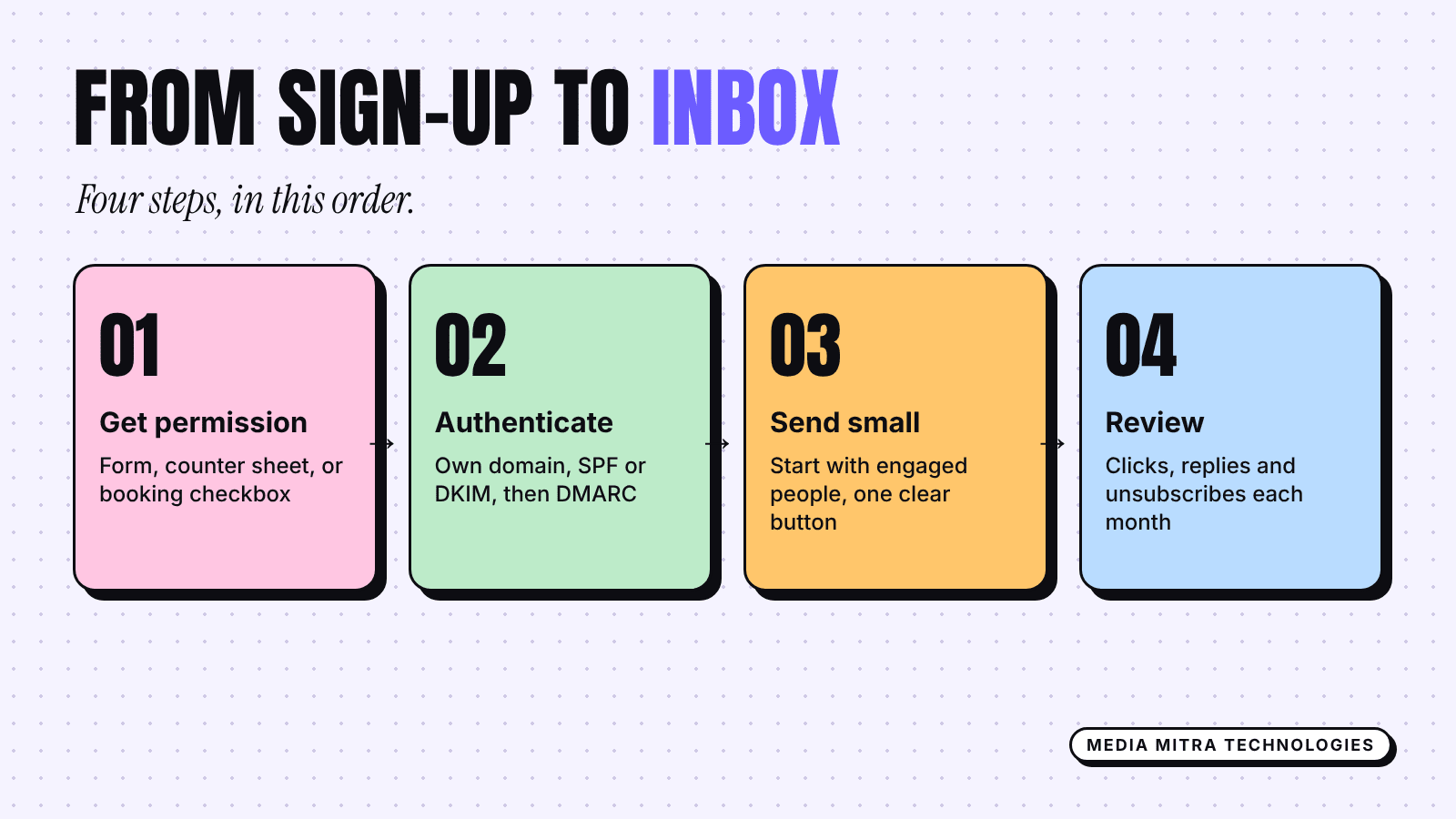
This part sounds scary, but for a small sender it is a short checklist. Google's published rules for sending to personal Gmail accounts say that all senders must set up SPF or DKIM authentication, and that DKIM keys should be at least 1024 bits, with 2048 recommended where your provider supports it. Your email service will give you the exact records to add to your domain's DNS settings. Your web developer or hosting provider can add them in a few minutes.
Do these in order:
- Send from an address on your own domain, such as hello@yourbusiness.com.np, not from a free webmail address through a marketing tool.
- Add the SPF and DKIM records your email service gives you, then use its verify button.
- Add a DMARC record. Google requires it only for bulk senders, who it defines as those sending more than 5,000 messages a day, and says the policy can be set to "none". It is still sensible for a small business because it helps you spot misuse of your domain.
- Make sure every email carries a visible unsubscribe link. Google requires one-click unsubscribe for bulk senders, and any decent email service does this for you anyway.
- Start with a small volume to people who are engaged. Google advises starting with low volume and avoiding sudden spikes.
Google also tells senders to keep their spam rate below 0.3% in Postmaster Tools and recommends staying under 0.10%. That is one complaint for every thousand emails. For a list of a few hundred people, a single complaint matters, which is another reason to email only people who asked.
The requirement details are on Google's page: Email sender guidelines.
Step 4: Decide what to send
Do not try to send daily. A realistic schedule for a small team is one email every two weeks or once a month. Rotate between three types.
Useful emails
A short tip tied to what you sell. A tailor can explain how to measure for a suit. A hardware dealer can explain which paint suits which wall. A clinic can send seasonal health reminders. These build trust and are the easiest to write.
Offer emails
New stock, a festival offer, an admission deadline. Keep one offer per email and one button. Say clearly who it is for and when it ends.
Story emails
A behind-the-scenes note about how an order is prepared, a new staff member, or a lesson you learned. Picture a bakery that explains why its cakes sell out on Fridays and how to book early. It is honest, specific and easy to act on.
A good rule is two useful or story emails for every offer email. People tolerate selling when they also get value.
Step 5: Write an email people open
Subject line
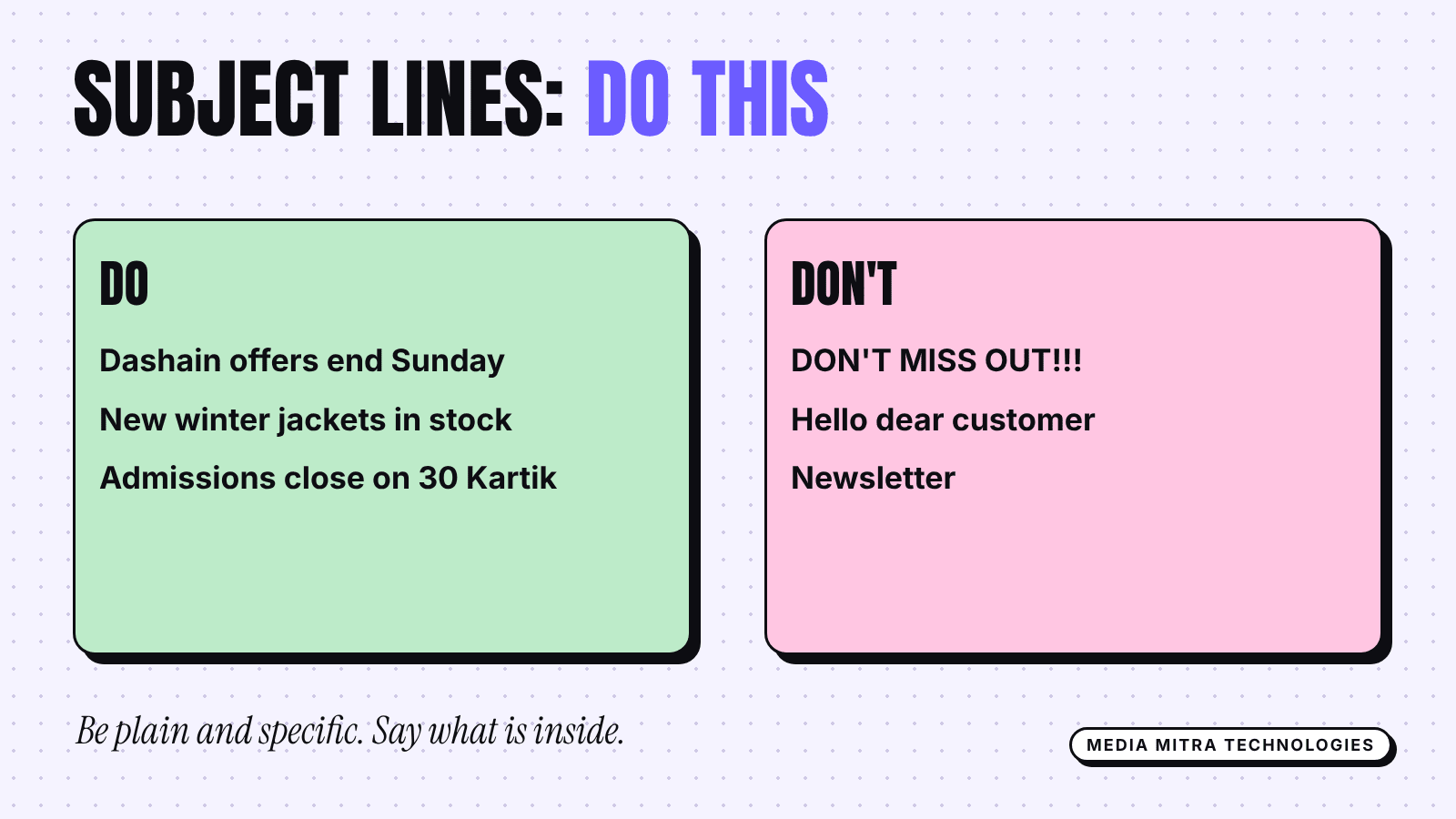
Keep it plain and specific. Say what is inside. "Dashain offers end Sunday" beats "Don't miss out!!!". Avoid all capitals and long strings of symbols.
Body
- Open with the one thing the reader should know.
- Use short paragraphs and one clear button or link.
- Write the way you talk to a customer at the counter.
- Keep to one main idea per email.
- Test it on a phone first, because most readers will open it there.
A simple template
- A friendly line using the first name if you have it.
- Two or three sentences on the topic or offer.
- One button: "Book now", "See the menu", "Reply with your size".
- A short sign-off from a real person.
- Your business name, address and the unsubscribe link.
Step 6: Measure and improve
Your email service will show opens, clicks and unsubscribes. Treat these carefully. Open counts can be unreliable, so lean on clicks and replies instead. If you want to connect email clicks to actual enquiries, tag your links and set up conversions as described in our GA4 key events guide.
Review once a month:
- Which email got the most clicks, and what was the topic?
- How many people unsubscribed, and after which email?
- Did any email lead to a call, order or booking you can trace?
Do more of what gets clicks and replies. Drop what gets ignored.
Common mistakes to avoid
- Adding every customer to the list without asking.
- Sending a huge first email to a list that has never heard from you.
- Hiding the unsubscribe link. It reduces complaints to make it easy to leave.
- Using one giant image with no text. It loads poorly and looks suspicious.
- Sending only offers.
- Never replying when someone writes back.
Frequently Asked Questions
How many subscribers do I need before email is worth it?
There is no minimum. A list of 150 customers who know you can produce more bookings than thousands of random followers. Start with the people who already buy from you.
How often should a small business send email?
Once a month is a safe start, every two weeks once you have enough to say. Consistency matters more than frequency.
Is it fine to email customers whose details I already have?
If they gave you their address for an order and you only use it for that order, do not assume they want marketing. Invite them to opt in with a short message, and only add those who agree.
Do I need a separate domain email address?
Yes, it is strongly advisable. An address on your own domain looks more credible and lets you set up SPF, DKIM and DMARC properly.
What if my emails go to spam?
Check that authentication shows as verified in your email service, send only to people who opted in, remove addresses that never open, and send at a steady rhythm. Gmail's Postmaster Tools can show your spam rate if you send enough volume.
Conclusion
Email will not replace your social channels, but it gives you something they cannot: a direct line to customers that you own. Start small, collect addresses with clear permission, set up authentication once, and send one useful message a month.
If you would like help setting up your sign-up forms, domain email and a simple email template that matches your brand, the Media Mitra team can do it with you. Talk to us and we will plan a starting setup for your business.