

Every Nepali business owner who has run a Facebook Page has seen the little blue button: Boost post. It takes about a minute, it asks for a budget, and it promises more people will see what you posted. So it is no surprise that for many small businesses in Birgunj, Kathmandu and beyond, boosting is the first and only kind of Meta advertising they ever try.
Sometimes that is exactly the right call. Other times it quietly burns money on likes from people who will never buy. The difference comes down to what you actually want to happen after someone sees your post.
This guide explains, in plain language, how a boosted post differs from a campaign built in Meta Ads Manager, which one fits which goal, and a simple rule you can use before you spend a single rupee. The facts about the tools come from Meta's own Business Help Center, which we opened and read while writing this.
First, a boosted post is still an ad
A lot of people think boosting is "free reach with a small fee" and Ads Manager is "real advertising". Meta does not describe it that way. According to Meta's help article on the difference between boosted posts and Meta ads, a boosted post is an ad you create from content you have already published, such as a post, Story or Reel. Meta also notes that boosted posts still require a budget, and on your bill they are identified as ads.
So both routes use the same auction and the same money. What changes is how many decisions you get to make.
When you boost, Meta asks you for a handful of things:
- Your goal, for example more messages, more engagement or more website visitors
- The ad text, either your existing caption or a few variations
- The schedule, meaning start and end dates, or running until the budget is spent
- Your budget
- The placements, meaning where the ad appears
That is a short list on purpose. Meta says boosted posts do not have as many customization and detailed targeting options as a traditional Meta ad.
What Ads Manager adds
Ads Manager is Meta's full ad creation tool. Meta's help documentation says it organizes everything into three levels, and understanding them removes most of the mystery.
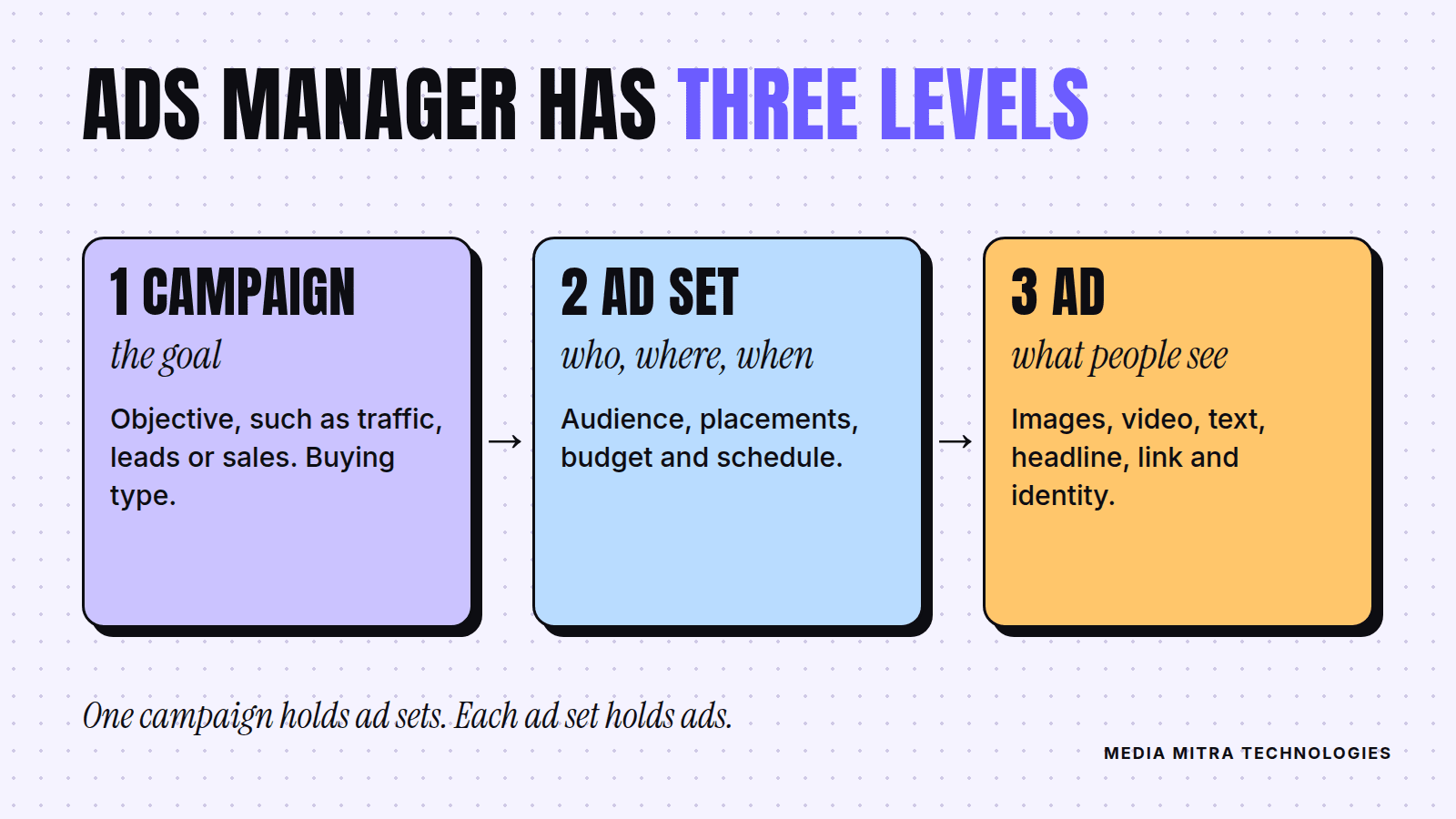
Campaign: the goal
At the campaign level you pick the objective, such as website traffic, leads or sales. You also choose the buying type, and Meta says most advertisers use Auction.
Ad set: who, where, how much, when
The ad set holds your audience, placements, budget and schedule. Every ad inside one ad set shares those settings. This is where you decide, for example, whether you are talking to people in a certain age range or a custom audience built from people who already know you.
Ad: what people see
The ad level is where the creative lives: the images, videos, text, headlines and links, plus which Facebook Page and Instagram account represent you.
Meta gives a simple example of how the pieces fit together: one campaign aimed at website traffic, with two ad sets (one for people aged 18 to 30, another for 31 to 50), each running different ads to see which combination does best. That ability to test one thing against another is the real power of Ads Manager, and boosting does not give it to you.
Boost post vs Ads Manager: the differences that matter
Here is how Meta's own comparison page breaks it down, translated into everyday terms.
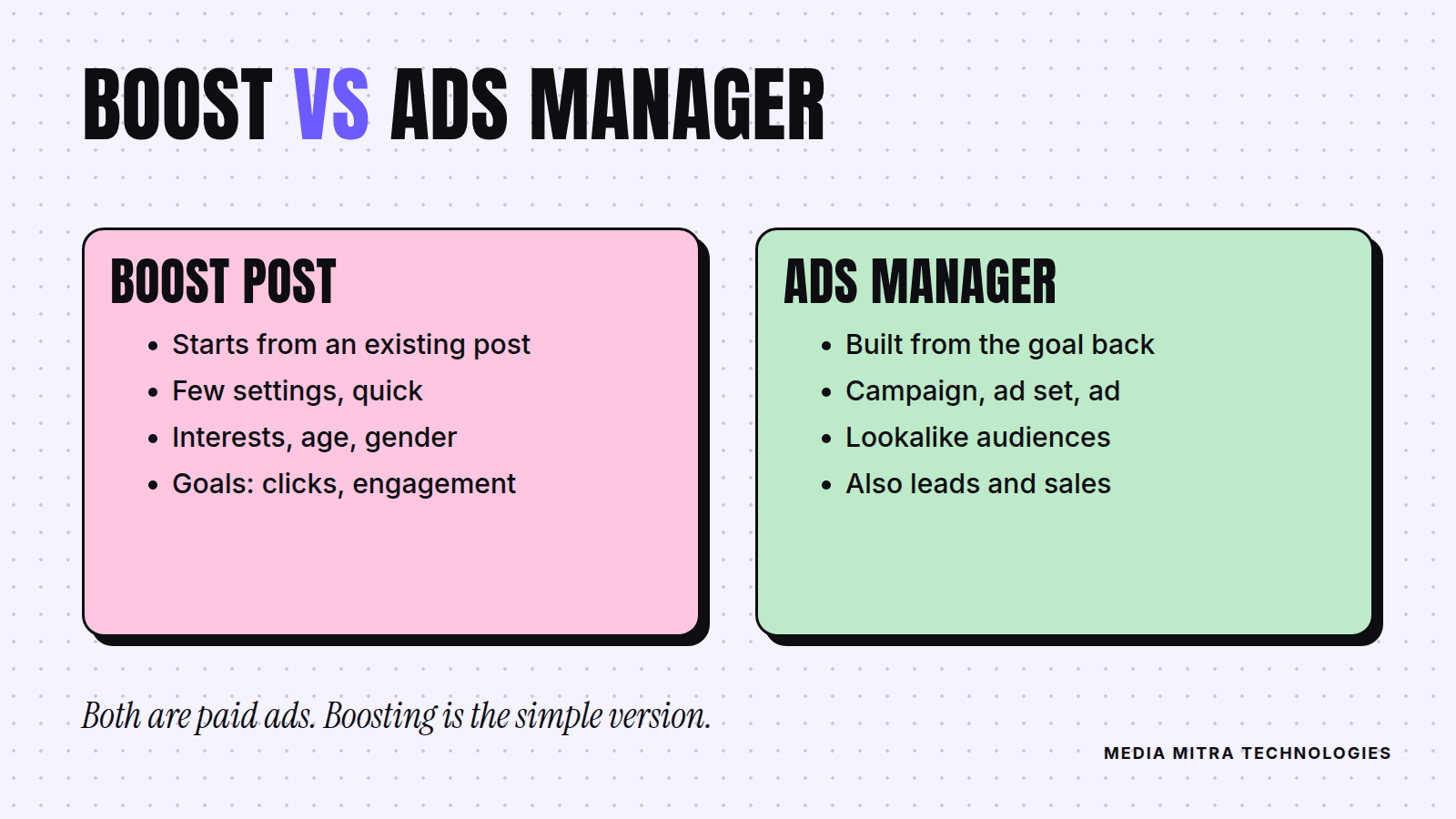
| Boosted post | Ads Manager | |
|---|---|---|
| Starting point | A post you already published | A campaign you build from the goal backward |
| Objectives | Website clicks, Page engagement, local business promotion | Also leads, app promotion, sales and more |
| Placements | Facebook Feed, with an option to add Instagram | Many more, including Messenger, Instagram Stories and WhatsApp Status |
| Targeting | Interests, age and gender | Overlapping audiences, lookalike audiences and other advanced tools |
| Creative | The post as it is, with optional text variations | Carousels, custom descriptions and more formats |
| Reporting | Results can be viewed in Ads Manager | Campaign creation, budget settings and performance metrics are only available in Ads Manager |
One practical detail from Meta's page is worth remembering: you can view the results of a boosted post in Ads Manager, but you cannot edit its text or media once it has been reviewed and published as an ad. If the creative is wrong, you make a new post and boost that instead.
When boosting is the right tool
Meta's own guidance is straightforward: if you want audience engagement on your Page or want to build brand awareness, boosting a post is a good way to increase visibility and grow your audience. That fits a few real situations.
Picture a bakery in Birgunj that posts a photo of its festival sweets box. The goal is simply that more people nearby see it and send a message to order. The post already has a clear call to action, the audience is local, and there is no website to measure. Boosting that one post for a few days is a sensible, low-effort move.
Boosting also works well for:
- Announcements, like a new branch, opening hours or a new menu
- Posts that are already doing well organically, because you are adding fuel to something people have shown they like
- Testing a creative idea cheaply before you invest in a proper campaign
- Owners who do not have time to learn the full tool this month
If you recognise your situation in that list, go ahead and boost. Just set an end date and a small budget so you cannot overspend by accident.
When you should switch to Ads Manager
Boosting starts to fall short when the thing you want is not "more people saw it". Move to Ads Manager when you want:
- Leads or sales as the objective. Meta states that the full ads system lets you choose objectives like leads, app promotion and sales, which boosted posts do not offer.
- Tighter targeting. Interests, age and gender can only take you so far. Ads Manager lets you build overlapping and lookalike audiences.
- Controlled testing. Two audiences, two images, one budget, and a clear answer about which worked.
- Control over timing. Meta notes you can increase your budget during specific days and times based on when you expect peak demand. A restaurant could lean into weekends, and a tutoring centre could lean into the weeks before admissions.
- Proper measurement. If you cannot see which ad led to which result, you cannot improve.
Now picture a coaching institute that wants admission enquiries, not likes. A boosted post might collect plenty of reactions from students who will never enrol. A campaign with a leads objective, a defined audience and a form or a message destination aims at the actual outcome. For the broader question of whether ads or organic content deserves your first rupees, our article on social media management vs running ads walks through the trade-off.
A simple decision rule
Before you spend, answer one question out loud: "What should a person do after they see this?"
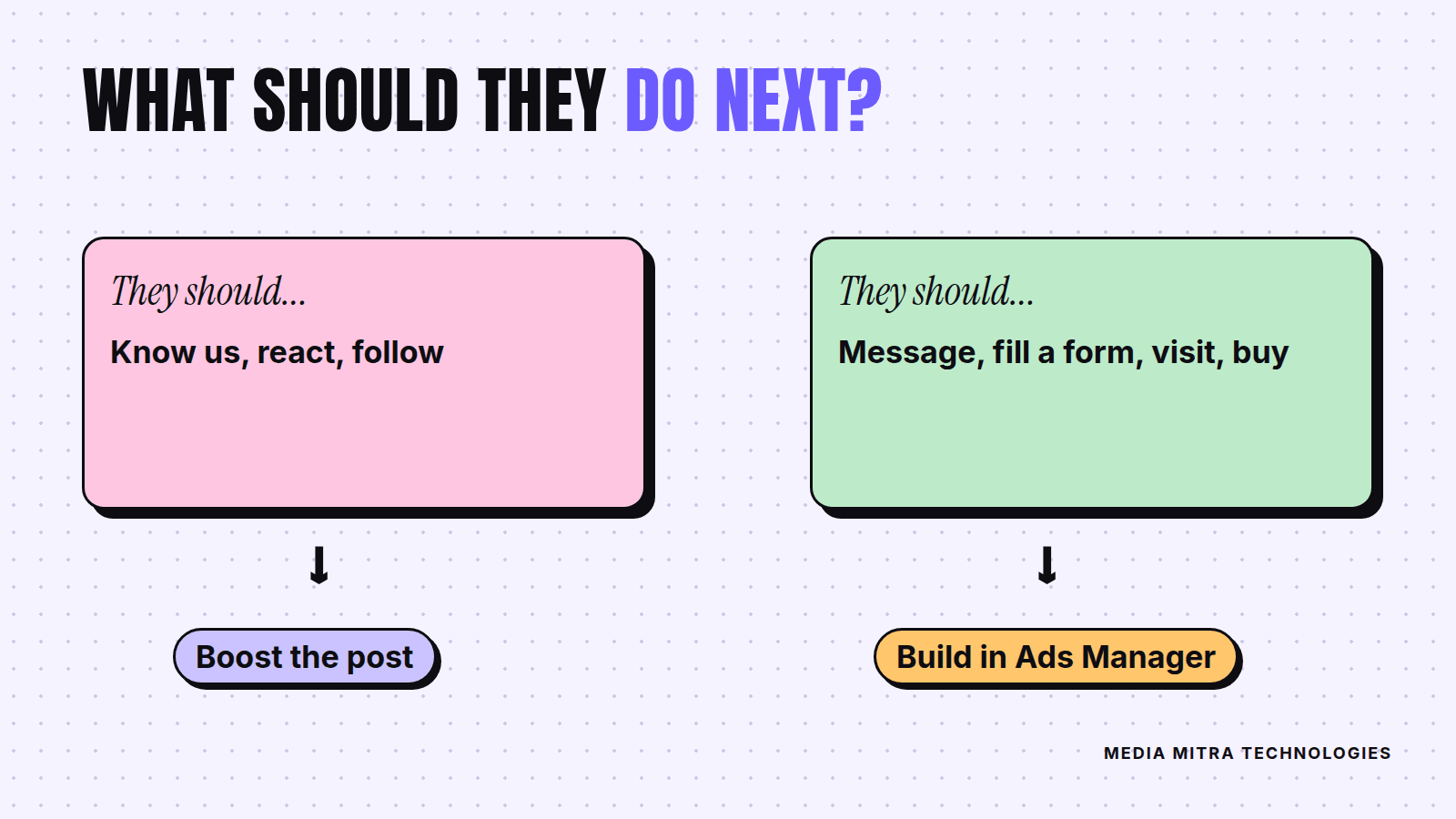
- If the answer is "know we exist, react, or follow us", boost.
- If the answer is "message us on WhatsApp, fill a form, visit the website or buy", build it in Ads Manager with the matching objective.
If your answer involves WhatsApp, make sure the basics are in place first. Our WhatsApp Business app setup guide covers greeting messages, quick replies and a catalogue so those new messages get a proper reply. If the answer is "visit the website", read why most Nepali business websites fail to get customers before sending paid traffic there, because ads only magnify whatever happens on the page.
Mistakes we see with both tools
- Boosting a weak post. Money cannot fix a blurry photo or a caption with no clear next step. Check the post with fresh eyes first.
- Choosing the wrong goal. An engagement goal will chase engagement, even if what you wanted was enquiries.
- No end date and no budget cap. Decide the maximum in advance and write it down.
- Judging results by likes. Likes are pleasant, but count enquiries, calls and orders.
- Changing everything at once. In Ads Manager, change one thing at a time (audience or image, not both) so you can learn from the result.
- Forgetting that Meta's rules change. Interface names and options move around. Meta's help page itself carries notes about upcoming placement changes, so check the current Help Center when something looks different from what you remember.
Frequently Asked Questions
Is a boosted post the same as an ad?
Yes. Meta describes a boosted post as an ad created from existing content, and it shows up as an ad on your bill. It is simply the simplest version, with fewer settings.
Can I edit a boosted post after it starts?
Not the text or media. Meta says that once a boosted post has been reviewed and published as an ad, you cannot edit its text, images or video. Create a new post and boost it instead.
Which is better for a small business with a tiny budget?
Neither is automatically better. Boosting is quicker and fine for visibility and engagement. If you need leads or sales, a simple Ads Manager campaign with one clear objective usually gives you more control for the same money.
Do I need a website to run ads?
Not always. A boost aimed at getting messages works without one. But if your goal is website traffic, the site needs to be ready to convert visitors.
Can I boost on Instagram too?
Meta's help page says that when boosting you can choose whether to also place the ad on Instagram, in addition to Facebook Feed. Check the options on screen, since they can change.
Should I run Google Ads or Meta ads first?
It depends on whether people are already searching for what you sell. If they are, see our guide to a first Google Ads Search campaign for Nepali small businesses.
Conclusion
Boosting is a shortcut for visibility, and Ads Manager is a toolbox for outcomes. Neither is wrong. The mistake is using the shortcut when you need the toolbox, then wondering why the likes did not turn into customers.
Start with the question of what you want someone to do after seeing the ad, pick the matching tool, set a small budget with an end date, and measure what actually matters. If you would like help planning a Meta campaign that is tied to enquiries and sales instead of vanity numbers, talk to the Media Mitra team and we will help you build one that fits your budget.
Sources: Meta Business Help Center, The difference between boosted posts and Meta ads and What are the advertising levels in Meta Ads Manager?.