
Most small business owners in Nepal think of security as something for banks and big companies. Then one morning the Facebook Page is posting loan offers nobody wrote, or the domain login stops working, or a customer calls to say they got a strange message "from you". In nearly every case like this, nobody broke into a server. Someone got hold of one login.
This guide is about those logins. It is a plain checklist for protecting the accounts your business actually runs on: email, social media, your website and domain, cloud storage, and payment tools. You do not need to be technical, and most of the steps take five to fifteen minutes each.
The guidance here follows the UK National Cyber Security Centre (NCSC) Small organisations guide to cyber security, which is written for businesses with fewer than 50 staff and reviewed as recently as July 2026. It is a UK document, so we use it for the method, not for Nepal-specific legal advice. The habits it describes work the same in Birgunj as in Birmingham.
Why small businesses are a target
The NCSC guide states that small organisations are just as likely to experience online crime as larger ones, and that 1 in 2 small businesses suffer a cyber incident every year. It also says 85% of cyber attacks against businesses start with a scam email. Those are NCSC figures about UK organisations, so treat them as a rough signal rather than a Nepal statistic. The point still holds: attackers do not choose you because you are famous. They choose you because you are easy.
What does "easy" look like in a typical local business?
- One email address that was used to sign up for everything: Facebook, the domain, the website admin, the Google profile.
- A password that the owner has used for years, sometimes shared over WhatsApp with a designer or staff member.
- A Facebook Page where three former employees are still admins.
- A website admin login that is still
adminwith a simple password.
Picture a clothing shop in Birgunj whose owner uses the same password for Gmail, the shop's Facebook Page and the website dashboard. If that single password leaks from any one of them, an attacker can try it on the others, reset passwords through the email inbox, and take over all three in an afternoon. The shop did nothing "wrong" in the sense of a dramatic mistake. It just had no second lock on any door.
Step 1: Secure your email first
Your business email is the master key. Almost every other account can be recovered by clicking "forgot password" and following a link sent to your inbox. The NCSC guide says that if a criminal hacks into your business email account, they could access private information, send messages pretending to be you, and gain access to other accounts by resetting passwords.
So the first job is to protect that inbox properly.
Use a passkey, or a strong password plus 2-step verification
The NCSC recommends passkeys where your provider supports them, and describes them as a simpler and more secure way to sign in that protects against phishing because you cannot be tricked into handing a passkey to a criminal. Google explains how to set one up in its help page Sign in with a passkey instead of a password.
If a passkey is not available, the fallback is a strong, unique password plus 2-step verification (2SV, also called two-factor authentication). Google's walkthrough is here: Turn on 2-Step Verification. The NCSC says any type of 2SV is better than none, and that authenticator apps and backup codes are worth considering, for example in case you lose your phone.
Make the password actually strong
The NCSC suggests combining three random words to build a password, and gives fishapplesing as the style of example. Length and randomness matter more than odd symbols. Two rules matter most:
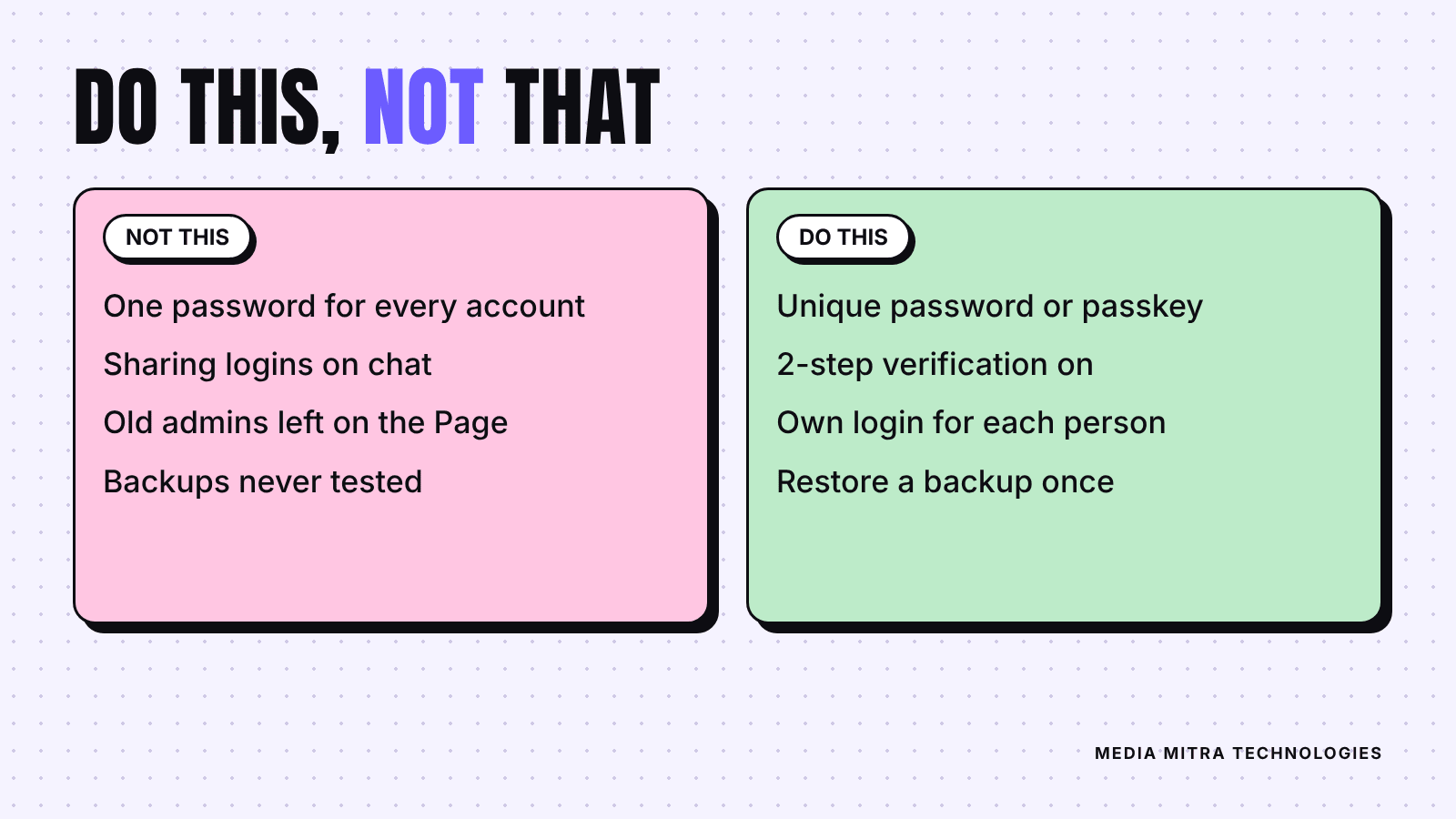
- Never reuse the email password anywhere else.
- Change it right away if you know it has been reused.
Step 2: Lock down the other accounts that run the business
Once email is safe, move through the rest. The NCSC lists the account types a small business should check, including banking and finance, payroll, social media, online storage like Google Drive, and your company website along with the domain hosting account if it is separate.
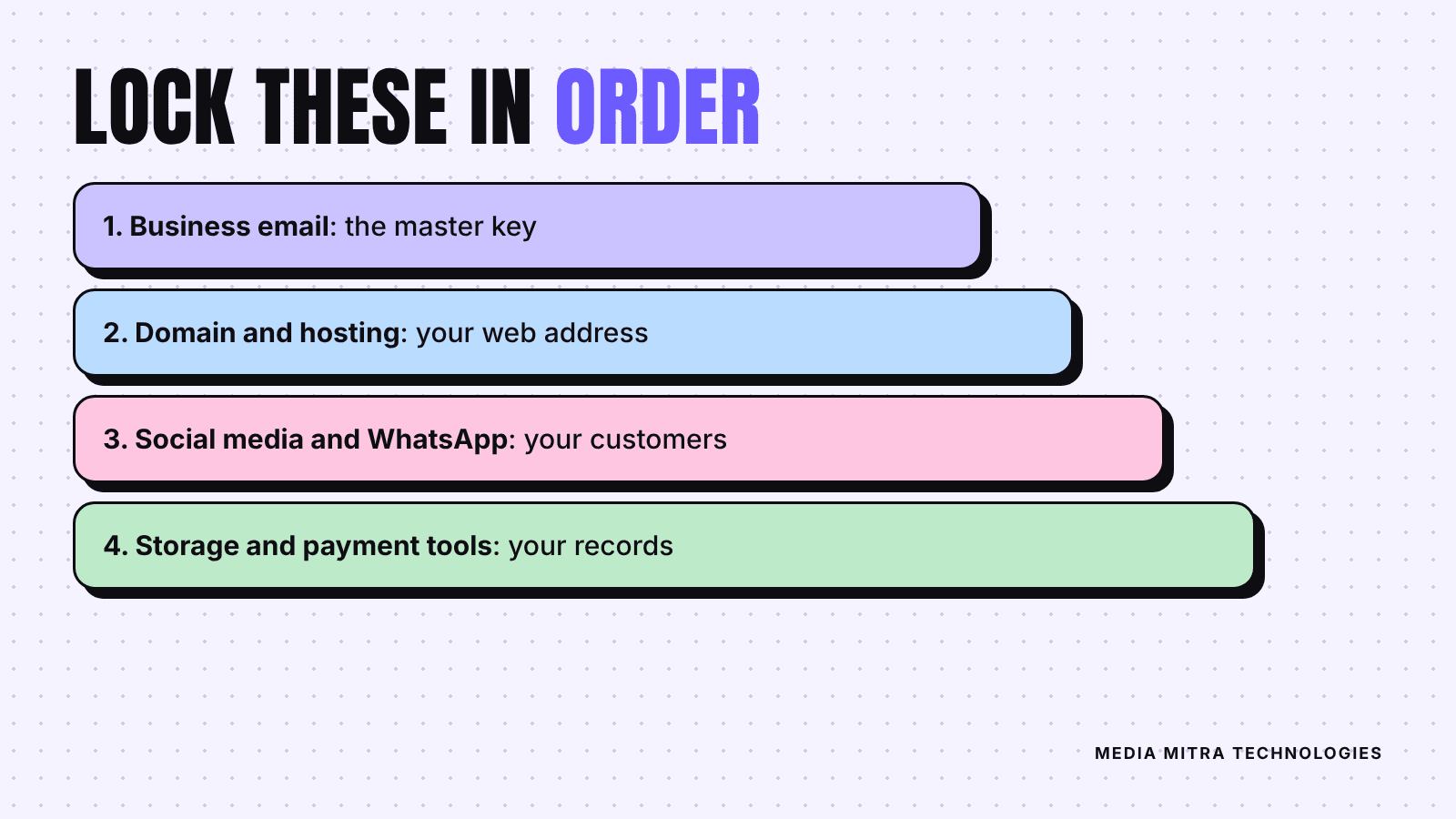
Here is a practical order for a typical Nepali SME:
Domain and hosting
Your domain account is the deed to your online address. If someone takes it over, they can point your website and your business email somewhere else. Turn on 2SV, use a unique password, and make sure the account is registered to a business email you control, not to a developer's personal Gmail. If you ever fall out with a freelancer, this is the account you most want to already own.
Website admin login
If your site runs on a content management system, treat the admin page like a shop's back door. Use a unique password for it, give each person their own login instead of sharing one, and remove accounts for people who no longer work with you. If you are about to build or rebuild a site, it helps to settle who owns which login before the work starts. Our website brief template includes the ownership questions worth asking up front.
Social media accounts
The NCSC specifically lists Instagram, Facebook, X, LinkedIn and TikTok as accounts to protect with strong passwords and 2SV, and links to each platform's own instructions. For a business Page, add a second step:
- Keep the Page tied to a business-controlled account, not only to one person's personal profile.
- Review the list of admins and editors, and remove anyone who has left.
- Use separate business and personal accounts where you can. The NCSC says that if you use personal social media for business, treat it like a business account: review what it reveals publicly, control who can post on your behalf, and make sure staff who leave no longer have access.
If your social media is handled by an agency or freelancer, ask what access they have and whether it can be removed when the work ends. This is a normal question, not an insult.
WhatsApp and payment tools
If customers message you on WhatsApp Business, turn on its two-step verification too. The NCSC guide names WhatsApp among the services with 2SV instructions. Our WhatsApp Business app setup guide covers the setup side. For any mobile wallet, bank app or payment tool, enable whatever extra verification the provider offers and never share one-time codes with anyone, including people who claim to be from support.
Step 3: Protect the devices that hold those logins
An account can have a perfect password and still be exposed if the phone it is logged into is unlocked on a shop counter. The NCSC advice for devices is simple:
- Use a 6-digit PIN or strong password on every phone, tablet and laptop. Fingerprint or face unlock is better, though shared devices also need a PIN.
- Avoid guessable PINs such as 123456 or 000000, and change any default password the device came with.
- Keep operating systems and apps up to date, because updates fix bugs that criminals use to break in.
- If a device no longer receives updates from its maker, replace it. The NCSC notes you do not need the latest model, just one that is still supported.
In many local businesses a single shared phone runs the Facebook Page, WhatsApp and the cash app. That is practical, but it also means that one lost phone can mean three problems. A screen lock is the minimum.
Step 4: Back up what you cannot afford to lose
Security is partly about keeping attackers out and partly about recovering when something goes wrong. The NCSC says to make a copy of all the data your business needs to operate, which can include your website, emails, invoices, documents, contacts and customer information.
Its reasons are practical: ransomware can lock your data, devices can be lost, stolen or simply stop working. Two ways to back up, per the guide:
- Online storage, such as Google Drive, iCloud or OneDrive, if you have reliable internet access.
- An external device, such as a USB drive or external hard disk, if you do not. The NCSC says to keep it somewhere safe and not leave it connected when not in use, because some viruses also infect connected devices.
For extra safety the guide suggests doing both, and protecting the online copy with 2SV. Then comes the part most people skip: check that you can restore. A backup you have never tried to open is a hope, not a backup.
Step 5: Learn to spot trouble early
The NCSC lists some quiet warning signs: unusual emails in your inbox, customers receiving emails from you that you did not send, a login alert you do not recognise, a device acting slowly or oddly, and payments leaving your account that you did not make.
For phishing, which is when scammers use fake emails, texts or calls to get your details, the guide points to tell-tale signs such as misspelled email addresses, unexpected attachments, generic greetings like "Dear valued customer", links to unknown sites, and spelling mistakes. If you have doubts about a message, contact the organisation directly using the details from its official website, not the numbers or links in the message.
One more habit from the NCSC is worth copying: think about what your website and social pages reveal. Staff biographies, detailed supplier names and old posts can give scammers material for convincing messages. Share what customers need and trim the rest.
Finally, write a short plan for the day something goes wrong. The NCSC compares it to knowing what to do in a fire. Decide who changes passwords, who contacts the platform, who tells customers, and where the backup lives.
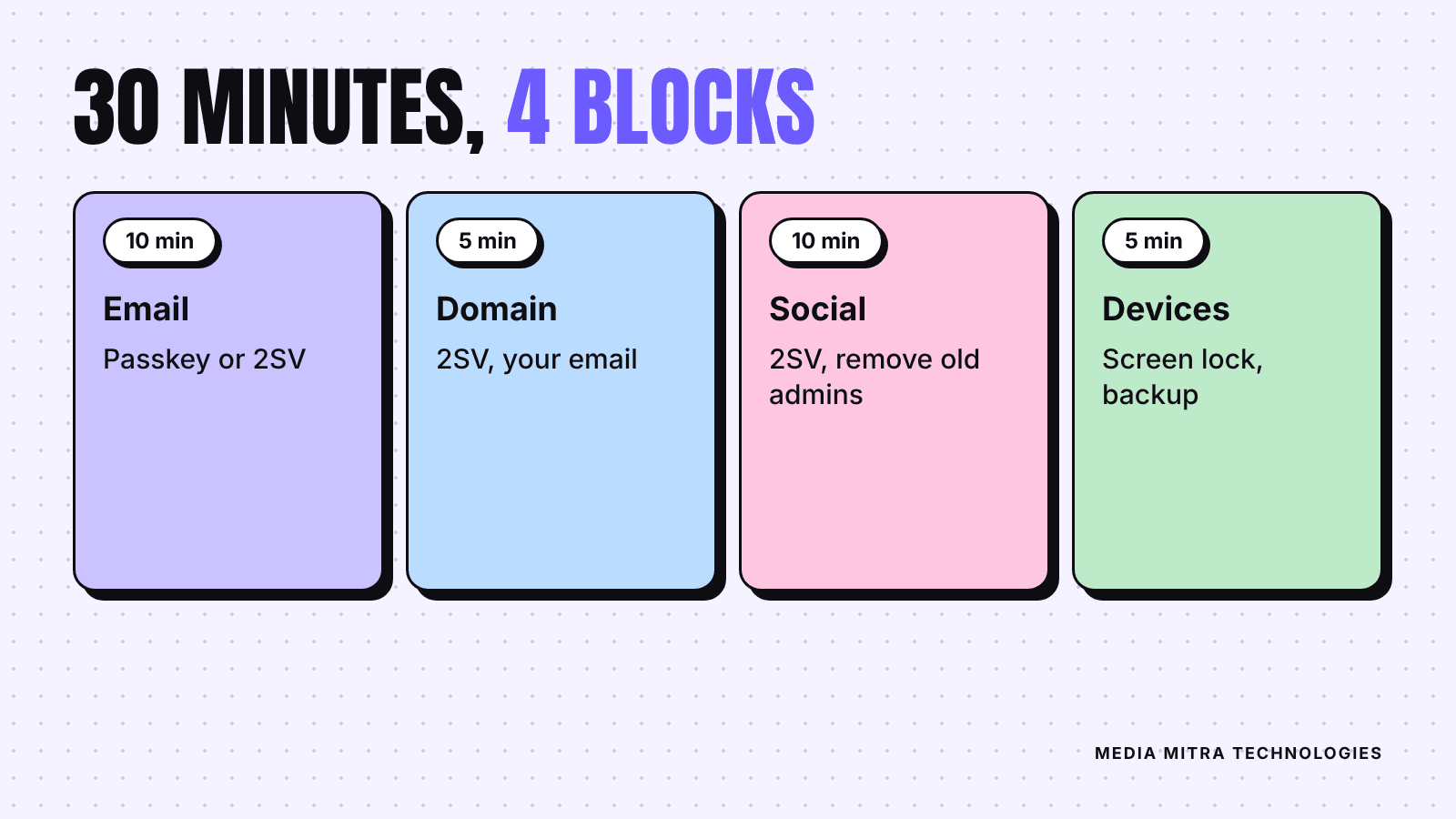
A 30-minute plan you can do this week
Do not try to fix everything in one sitting. This order gives the biggest gain first:
- Minutes 0 to 10: Secure your main email with a passkey or a unique password plus 2SV.
- Minutes 10 to 15: Do the same for your domain and hosting account, and confirm the registered email is yours.
- Minutes 15 to 25: Open your Facebook Page and Instagram settings, turn on 2SV, and remove old admins.
- Minutes 25 to 30: Set screen locks on every work phone and start one automatic backup.
Then book a recurring reminder, perhaps every quarter, to review who has access to what.
Frequently Asked Questions
Is a small business in Nepal really at risk?
Attackers rely on automation and stolen passwords, not on picking famous targets. The NCSC statistics quoted above are about UK organisations, so we cannot give you a Nepal figure, but the methods they describe, such as phishing and reused passwords, are not tied to any country.
What is the difference between a passkey and 2-step verification?
A passkey replaces the password: you unlock with your device, for example a fingerprint or screen PIN, and nothing secret is typed or sent. 2SV adds a second proof, such as a code, on top of a password. The NCSC recommends passkeys where available and 2SV where they are not.
Should I use a password manager?
The NCSC guide includes a section on using a password manager, because unique passwords for every account are hard to remember. If you do use one, protect its master login with the strongest method you have.
Can I share one login with my social media team?
It is better to give each person their own access through the platform's role settings, so you can remove one person without changing everything. Where a shared login is unavoidable, use 2SV and remember to change it whenever someone leaves.
What should I do if an account is already hacked?
Act quickly: change the password, sign out of other sessions, turn on 2SV, and follow the platform's official recovery steps. The NCSC also publishes response and recovery guidance for organisations that think they have been compromised.
Conclusion
Account security is not glamorous, but it protects everything you spend money on: the website, the ad budget, the social media following and the customer trust. Start with email, move to domain and social accounts, lock your devices, back up your data, and keep a short plan for bad days. Thirty focused minutes this week will do more than any amount of worrying.
If you would rather hand this over, Media Mitra Technologies can review who has access to your website, domain and social accounts, and help you set up ownership and logins properly. You can reach us at https://www.mymediamitra.com/#contact.
Sources: NCSC Small organisations guide to cyber security, NCSC: Secure your email, NCSC: Secure your important online accounts, NCSC: Protecting your devices, NCSC: Backing up your data, NCSC: Spotting cyber attacks.